• Link to Facebook
  • Link to Instagram
  • Link to LinkedIn
  • Link to Youtube
  • Link to Pinterest
  • Link to Mail
  • Link to Rss this site
02 9907 7777
Websites 4 Small Business - Website Design & Development
  • Home
  • Services
    • Website Design
    • Website Audit
    • Create Your Own Website – Web Design Coaching
    • Website Redesign
    • Website Design Extras
    • Business Logo Design
    • Domain Name Registration
    • Webhosting
    • Small Business Marketing
    • SEO Search Engine Optimization
  • Pricing
  • Testimonials
  • Portfolio
    • Website Design Gallery
    • Website Redesign Gallery
    • Business Logo Gallery
  • Blog
  • About
    • About Us
    • Guest Posts
    • In the Media
    • Business Partners
    • Privacy Policy
    • Service Provider Terms and Conditions
  • Guides
  • Industry
    • Coaches and Consultants
  • Learn
    • The Complete Guide to Website Design & Redesign
    • The Complete Guide to Website Conversion & Growth
    • The Complete Guide to Website Content & Visibility
    • The Complete Guide to AI & Automation
    • All Tutorials
  • Resources
    • FAQ
    • Ultimate Website Design Blackbook
    • 7 Powerful Ways to Promote Your Business for Free
    • FREE Downloadables
    • Savvy Woman’s Practical Guide to Online Business
    • Website Design Humour – Max vs Jordan
    • Website Audit Videos
    • Videos
    • Business Tools
    • Technical Jargon Explained
    • Search Engines and Directories
    • WordPress How To
      • How To Edit Pages Using the Enfold Theme
      • Enfold Theme Video Tutorial
      • How to Back Up WordPress Using CPANEL
      • How to Upgrade your WordPress Website
  • Contact
  • Click to open the search input field Search
  • Menu Menu
You are here: Home1 / The Complete Guide to AI & Automation2 / 9 Secret Powerful Google Tools That Will Blow Your Mind
  • Google Gadgets

9 Secret Powerful Google Tools That Will Blow Your Mind

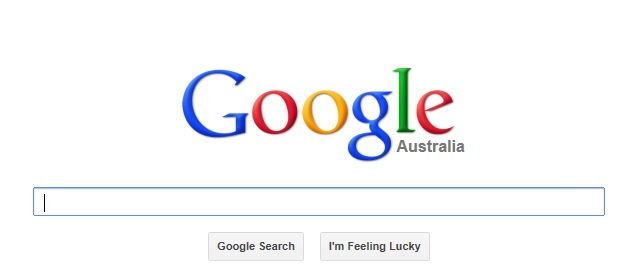
Google is mostly known for its search capabilities, but did you know there are many other services that Google offers and most of them are free – tools beyond Google Maps, Gmail and YouTube. Check out the following excellent products which may help run your business more efficiently.

1. Google Gadgets

Gadgets are miniature objects that offer dynamic and fun content that can be placed on any website. You will find handy tools such as to-do lists, currency converters, calendars, calculators, weather forecast, world clocks and thousands more. The gadgets are divided into categories including News, Tools, Communication, Technology, Fun and Games, Finance, Sport and Lifestyle. For more information, go to: www.google.com/ig/directory?synd=open

2. Google Analytics

If you have a website, Google Analytics can track all your traffic, referrals, ads, sales and conversions. It gives you insight into how visitors behave on your website – which page they arrived on, how long they stay, how many pages they view, what search words they use to find you and so much more. It also lets you see how effective your social media efforts are and which parts of your website are performing well. To install Google Analytics, all you (or your web developer) need to do is place some simple HTML code into your site and the tracking begins immediately. Find out more at www.google.com/analytics/ Google Analytics not only lets you measure sales and conversions, but also gives you fresh insights into how visitors use your site, how they arrived on your site, and how you can keep them coming back.

3. Google Alerts

Google Alerts lets you set up email updates of the latest relevant Google results, so you can monitor current news stories, keep an eye on competitors or the industry and to find out what others may be saying about you or your products and services. Google alerts are easy to set up. Simply go to: http://www.google.com/alerts

4. Google Drive

Google Drive is a great suite of products, which lets you share files and folders with other people including your customers and business associates. It allows for multiple people to work on the same document at the same time. Google Docs, which is like MS Word, Google Spreadsheet, similar to MS Excel and Google Slide the equivalent of MS Powerpoint are all part of Google Drive. No more having to email yourself files or transfer them via a USB stick. Simply connect to the internet and all your files are accessible from any computer. http://www.google.com/enterprise/apps/business/products.html#drive

5. Google Translate

Google translate allows your website to be translated to other languages including Spanish, French, German, Chinese and over 60 other langauges. The free website translator plugin expands your global reach quickly and easily. Google Translate is also useful if you need to have phrases / comments or documents translated to English. http://translate.google.com/

6. Blogger

Blogger is Google’s own blogging tool. Blogs provide a way for you to communicate with your customers and give you an increased presence on major search engines. Most people update their blogs daily or weekly with information about their business, industry news and useful tips and tricks. Blogger is free and extremely easy to use: www.blogger.com

7. Google Calendar

Google Calendar lets your co-workers and staff see your calendar and schedules, helping you to manage your time and appointments easily. Two way syncing with your mobile phone’s calendar means you can access your information even when you are away from your desk. You can set customizable reminders and even invite other people to events in your calendar. Guests can RSVP to invitations by email or via the Google Calendar. http://calendar.google.com

8. Google Adwords

Google AdWords is an easy way to advertise your products and services on Google, regardless of your budget. The ads are displayed along with search results, generally at the top of the page or on the right handside. When you create an AdWords keyword-targeted ad, you choose keywords and key phrases for which your ad will appear and set the maximum amount you’re willing to pay for each click. http://adwords.google.com

9. Google News

Stay up to date with current affairs and information from your industry. Google News is a computer-generated news site that displays headlines from news sources around the world, groups similar stories together and displays them. You can set up your page to show you the stories that interest you most, not only on your computer, but also your mobile phone. https://news.google.com Google offers many more useful tools and services including iTalk, Adsense, Google+, Custom Search, Webmaster Tools and others. The great news is that most of these are free and easy to use.

****

by Ivana Katz
Websites 4 Small Business – www.web4business.com.au

Ivana Katz

Website strategy session

You may also be interested in:

All 8 /Business Tools and Resources 8
AI tools for small business

Artificial Intelligence: Easy-to-Implement AI Tools for Small Business

Dropbox File Hosting and sharing

Dropbox File Hosting: Where Your Files Are Always Within Reach

GetResponse - Marketing multi tool

GetResponse: Your Ultimate Marketing Multi-Tool

ToDoIst - Task management tool

ToDoist: The Ultimate, Yet Simple Task Management Tool

Lastpass - Business Security for small business

LastPass: Elevate Business Security and Never Search for Passwords Again

AI for small business

AI For Small Business: Unleashing the Power of Artificial Intelligence

The Best Software For Your Small Business

Meanings of Frequently Used Terms on the Internet You Need To Know

Page 1 of 212

ChatGPT Confessions

Follow the Series

Confession #001 – Scam Email
Confession #002 – Medical Results
Confession #003 – Lunch with George Clooney
Confession #004 – Working at 3am
Confession #005 – Dishwasher Incident

–>View all confessions

Wait. You Can Do That?

Use AI to get more done in less time – without adding more tools.

Wait! You can do that? Save 10–12 hours a week as a solo business owner using AI

Get the guide →


Many Happy Customers

I just wanted to say thank you for again building my new website, it looks fabulous and reflects my style totally. Thank you also for listening to my requests and not giving up until I was happy with the end result. As always you are a pleasure to work with and your knowledge and skill, not to mention your patience is unquestionable. I would happily recommend you to anyone seeking help with web design.

Danielle DuBois – Your Marriage Celebrant

****

I am delighted with your design of our web site. Your design ideas have always been in line with the company look and are fresh and innovative, as well as being easy to read and understand. Your suggestions regarding adding value to the web site and on how to get the site to work harder have been invaluable.

Not only have you fulfilled our design wishes, but you have also given that oh so necessary ongoing support. I have found this to be incredibly helpful and, for a small business, financially manageable. Now, if only you could bottle your creativity, enthusiasm and efficiency …..! Thanks Ivana! I look forward to continuing to work with you!

Louise Brogan – All Money Matters

Let’s Connect

Facebook YouTube Twitter LinkedIn Pinterest

Contact Us

Tel: 02 9907 7777 – 0405 636 204
Email: ask@web4business.com.au
Location: Narrabeen NSW 2101, Australia
Areas: Website Design by Location

Must-Have Business Tools

Wait. You Can Do That?
Save 10 – 12 hours a week with AI

GetResponse Automation

Envato Market

Dropbox

Some content on this site may include paid placements. All content is reviewed to ensure relevance and quality for small business owners.

Award Winning WordPress Website Designer in Sydney for Small Businesses and Professionals


Connect

Facebook YouTube Twitter LinkedIn Pinterest

Solutions

Small Business Website Design & Development
Website Audit
Create Your Own Website – Web Design Coaching
Website Redesign
Business Logo Design
Domain Name Registration
Webhosting
SEO Search Engine Optimisation

Resources

Guest Posts & Editorial Features

Privacy Policy


© Copyright - Websites 4 Small Business - Enfold Theme by Kriesi
Link to: Planning A Website? All You Need to Know About Website Design Planning A Website? All You Need to Know About Website Designplanning a new website Link to: Wait Till You See What Makes Visitors Flee From Your Website what makes visitors flee from your websiteWait Till You See What Makes Visitors Flee From Your Website
Scroll to top Scroll to top