Why Engagement Matters
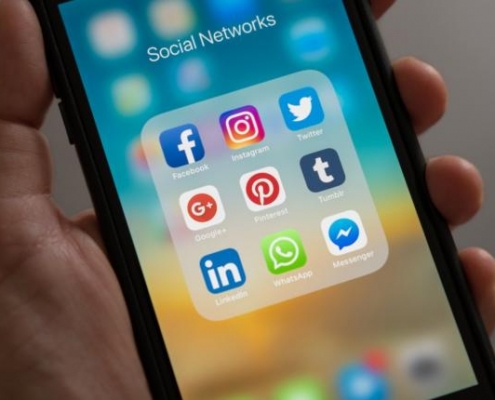
If you’re a business owner, marketer, or anyone with a digital footprint, you’ve likely heard the buzz surrounding the power of social media. It’s not just about having a presence on platforms like Facebook, Twitter, Instagram, or LinkedIn – it’s about how you engage and build real relationships with your audience.
In this article, we’re here to unravel the secrets of social media engagement, and the shining knight in this adventure is community management. Imagine your community manager as the friendly neighborhood superhero, weaving connections and creating a digital haven for your brand’s enthusiasts.
Why is this all so vital? Well, it’s more than just the likes and shares; it’s about forging connections that last, building trust, and turning casual followers into devoted fans. When you foster meaningful interactions on social media, your business benefits in countless ways – from increased loyalty and customer satisfaction to improved brand visibility and even potential revenue growth.
While social media is a powerful way to connect with your audience, relying on it alone can be risky. Read our guide on whether your Northern Beaches business really needs a website, including why your website should still be the foundation of your online presence.
So, consider this article your roadmap to becoming a master of social media engagement. We’ll delve into the pivotal role of community management, unveiling tips and strategies that’ll empower you to create genuine, lasting relationships with your followers. Ready to embark on this journey? Let’s dive in and learn how to make your audience feel like a valued part of your online community.

The Role of Community Management
So, you’ve decided to throw a party on social media, and you’ve invited followers from all walks of life to join in the fun. But how do you make sure this digital shindig runs smoothly? That’s where community management swoops in like a seasoned host, making everyone feel welcome and ensuring the party’s a blast.
Defining Community Management
Think of community management as the mastermind behind the scenes, orchestrating the show. It’s the art of nurturing and growing a digital community around your brand. Just like a skilled gardener tends to a flourishing garden, a community manager cultivates relationships with your followers, turning them into loyal supporters.
Responsibilities of a Community Manager
Now, let’s talk about the superhero responsibilities of a community manager:
- Conversation Starter: Community managers are the life of the digital party. They initiate conversations, ask questions, and encourage discussions. Imagine them as the charismatic host who gets everyone mingling and chatting.
- Problem Solver: Just like a superhero swooping in to save the day, community managers resolve issues and answer queries promptly. Whether it’s a customer complaint or a simple question, they’re on it.
- Content Wizard: These wizards (aka community managers) help create, curate, and post content that resonates with your audience. They know what content will stir up excitement and engagement.
- Keeper of the Peace: Community managers maintain order, ensuring discussions remain respectful and on-topic. They’re the digital bouncers who kindly escort trolls to the exit.
The Impact of Effective Community Management
Okay, let’s get to the exciting part – what happens when community management is done right? Imagine your brand’s reputation as a house party. When a community manager is on point, it’s like your house party is the hottest ticket in town:
- Loyalty Magnet: Effective community management builds a loyal following. Just like a charismatic host, it makes people want to come back for more.
- Brand Ambassadors: Happy and engaged followers become your brand’s biggest cheerleaders. They’ll shout from the digital rooftops about how awesome your products or services are.
- Word of Mouth Magic: When your community manager creates a welcoming atmosphere, it encourages word-of-mouth recommendations. It’s like your guests raving about the incredible party they attended.
- Crisis Prevention: Community managers can spot issues early and address them, preventing potential reputation crises before they can ruin your party.
In a nutshell, community management is what turns casual onlookers into active participants in your brand’s story. It’s about creating a community where people feel heard, valued, and connected, and that’s a reputation-boosting, loyalty-creating superpower that every business should harness. So, let’s get ready to dive into the tips and tricks that will make your community management a legendary force in the social media universe!
Tips for Fostering Meaningful Interactions
Now that you know the importance of community management, it’s time to learn the art of meaningful interactions. Think of it as the heart-to-heart conversations at your digital party!
1. Know Your Audience – The Social Media Sherlock Holmes
Imagine you’re throwing a party. You’d want to know what snacks your guests prefer, right? Well, social media is just like that. To create meaningful interactions, you must first understand your audience’s taste. Here’s how:
- Listening Ears: Be all ears, like Sherlock Holmes hot on the trail. Pay attention to comments, messages, and feedback from your audience.
- Surveys and Polls: Create fun surveys and polls. Ask questions about their interests and needs. Are they into sci-fi or romance? Vegetarian or meat lovers?
- Data-Driven Insights: Harness the power of analytics tools. They’re like your secret detectives, revealing details about your audience’s online behavior.
2. Create Valuable Content – The Storyteller’s Art
Now, imagine you’re a master storyteller at your party, captivating your guests with tales of adventure. On social media, your content is your story, and it needs to resonate:
- Empathy First: Put yourself in your audience’s shoes. What do they need? What challenges do they face? Address these in your content.
- Educate and Entertain: Balance between providing valuable information and entertaining your audience. Offer tips, hacks, and anecdotes.
- Spark Conversations: Craft posts that beg a reply. Ask open-ended questions, present scenarios, or share dilemmas. It’s like telling a story that your audience wants to be a part of.
3. Respond Promptly – The Speedy Social Ninja
Imagine you’re at a party, and someone raises a toast. You don’t wait two days to clink your glass, right? Similarly, on social media, prompt responses are a must:
- Speed Matters: Social media is fast-paced. Respond to comments, messages, and mentions promptly. It shows you care.
- Set Response Time Goals: Aim to reply within a specific time frame. Your audience will appreciate your dedication.
- Efficiency Rules: Use automation tools wisely, but don’t let them replace your human touch. Think of them as your party assistants, not the life of the party.
4. Personalize Interactions – The Friendly Face Approach
Just like at a party, where you remember your guest’s names and their favourite drinks, personalization matters on social media too:
- Use Names: Address people by their names when possible. It’s like calling someone by their nickname at the party – they feel special.
- Tailor Content: Share content that caters to different segments of your audience. It’s like having different party rooms for different tastes.
- Acknowledge Milestones: Celebrate birthdays, anniversaries, or any significant achievements. It’s like handing out party hats and blowing noisemakers for special occasions.
5. Use Engaging Visuals – The Picasso of Social Media
Visuals can make or break your content. Imagine your posts are canvases, and your audience are art enthusiasts. Here’s how to create engaging visual masterpieces:
- High-Quality Imagery: Use crisp, eye-catching images and videos. It’s like displaying exquisite paintings.
- Consistent Aesthetics: Maintain a consistent visual style. It’s like having a signature art style that fans can spot from a mile away.
- Storytelling Through Graphics: Infographics and visual storytelling are like art exhibitions. They convey complex information in a visually appealing way.
6. Leverage User-Generated Content – The Fan Club Builder
User-generated content is like having partygoers contribute to the décor, making them feel like part of the event. Here’s how to encourage this:
- Contests and Challenges: Host contests or challenges that involve user-generated content. For instance, a photo contest with your product.
- Repost and Share: Showcase user-generated content on your profile. It’s like putting up the best party photos on the wall for everyone to see.
- Appreciate and Reward: Don’t forget to thank and reward the contributors. A shoutout or a special feature is like giving a partygoer a VIP pass.
Tools and Resources for Community Management
Community management can be a breeze with the right tools in your arsenal. These digital sidekicks can assist you in managing, monitoring, and nurturing your social media communities:
- Hootsuite: It’s like your trusty planner. Hootsuite lets you schedule posts, engage with followers, and analyze performance across multiple social media platforms in one place.
- Sprout Social: Imagine having a communication hub. Sprout Social offers social media management and engagement tools to streamline your tasks.
- Buffer: Buffer is your content-sharing best friend. You can schedule and share posts, and it offers analytics to see how your content is performing.
- Socialbakers: This is your data scientist sidekick. Socialbakers provides analytics and insights to help you understand your audience better.
- Agorapulse: Consider Agorapulse your digital PR manager. It offers social media management, engagement, and reporting tools for a holistic approach.
Monitoring Engagement and Sentiment
The real magic happens when you keep an eye on how your audience is reacting. Here are some tools that help you track engagement and sentiment:
- Google Analytics: It’s like your detective partner. Google Analytics provides valuable insights into website traffic from your social media platforms, helping you understand how users are engaging with your content.
- Brandwatch: Imagine having a sentinel on the lookout. Brandwatch is a social listening tool that keeps track of brand mentions and sentiment on various social media platforms.
- Social Mention: This tool is like a treasure map. Social Mention provides real-time search and analysis of social media content, helping you discover what’s being said about your brand.
Examples of Tools Used by Different Industries
1. Retail:
- Tool: Hootsuite
- Imagine you manage social media for a fashion boutique. You use Hootsuite to schedule posts showcasing the latest arrivals and promotions. This tool allows you to plan a month’s worth of content in advance, ensuring you maintain a consistent online presence.
2. Travel and Tourism:
- Tool: Brandwatch
- As a social media manager for a travel agency, you use Brandwatch to monitor social media sentiment about popular travel destinations. By tracking mentions and sentiment, you can quickly address customer concerns and stay ahead of industry trends.
3. Healthcare:
- Tool: Buffer
- In the healthcare sector, Buffer is a valuable tool for a hospital’s social media manager. You schedule posts about health tips, updates, and events to keep the community informed, all while adhering to strict compliance and privacy guidelines.
4. Technology:
- Tool: Sprout Social
- If you’re managing social media for a tech startup, Sprout Social can help you maintain a dynamic online presence. You schedule posts about product launches and updates, engage with users’ inquiries, and analyze engagement metrics to refine your content strategy.
5. Food and Beverage:
- Tool: Agorapulse
- For a restaurant’s social media manager, Agorapulse is a lifesaver. You can efficiently manage customer reviews, schedule posts highlighting daily specials, and analyze which posts generate the most buzz to tailor your marketing efforts.
Real-World Examples
1. National Geographic – Captivating Visual Stories
National Geographic brings the world to your screens, and they’ve mastered the art of social media engagement. Through breathtaking visuals and captivating storytelling, they connect their audience with the wonders of our planet. National Geographic understands that powerful imagery and compelling stories build an emotional connection.
2. Airbnb – Creating a Global Community
Airbnb, the platform that connects travelers with unique accommodations, thrives on community engagement. They encourage hosts to share their stories and travel tips on social media. By celebrating their hosts and guests, Airbnb creates a global community. Travelers feel like part of something bigger, and hosts are proud to be part of the Airbnb family. Their social media posts often feature these personal stories, turning their users into storytellers and brand ambassadors.
3. GoPro – Celebrating User-Generated Content
GoPro, the action camera company, has built its brand around user-generated content. They actively encourage their customers to share their adventurous moments captured on GoPro cameras. By celebrating their customers’ stories, they’ve created a thriving community of passionate content creators and adventurers who share their experiences and inspire others to do the same.
4. Slack – Championing User Feedback
Slack, the communication and collaboration platform, has fostered a loyal user base by actively engaging with their audience’s feedback. They not only listen to user suggestions but also implement many of them in their updates. This responsiveness and user-centric approach have created a community of advocates who appreciate being heard and seen as integral to the platform’s development.
5. Duolingo – Gamifying Learning
Duolingo, the language learning app, uses gamification and social interaction to engage with its audience. They offer competitive elements like leaderboards and streaks, and they encourage users to connect with friends and compete in language challenges. This interactive approach makes language learning fun and builds a sense of community among users.
Remember, building relationships on social media is a journey, not a destination. It’s about consistent commitment and a genuine interest in your audience’s needs and preferences. So, gear up, stay adaptable, and embrace the ever-evolving social media landscape. Your future is brimming with opportunities to create lasting connections and craft your very own success story in the world of community management and engagement. Here’s to a future filled with meaningful interactions and exciting possibilities in the ever-evolving realm of social media!
Frequently Asked Questions about Engagement On Social Media
Why is engagement on social media so important for businesses?
Engagement on social media is vital because it helps build brand loyalty, increases brand visibility, fosters trust, and creates a sense of community. It also improves your reach and can lead to increased customer retention and sales.
What’s the role of community management in social media engagement?
Community management involves nurturing your online community, responding to comments and messages, and fostering conversations. It plays a crucial role in building relationships and ensuring a positive online atmosphere.
How can I better understand my audience’s preferences and needs?
To understand your audience, you can conduct surveys, analyze social media data, monitor discussions, and actively listen to customer feedback. Tools like social listening platforms can also help gain insights.
What kind of content resonates with audiences on social media?
Content that resonates typically includes educational, entertaining, and inspirational posts. It’s often visually appealing, tells a story, or solves a problem relevant to your audience.
How can I respond promptly to comments, messages, and mentions on social media?
Set response time goals, use social media management tools for monitoring, and consider employing chatbots for quick replies. Ensure someone is responsible for social media engagement at all times.
Why is personalization important in social media interactions?
Personalization makes customers feel valued and understood. Addressing them by name, tailoring content, and acknowledging milestones can enhance the customer experience and build stronger relationships.
What types of visuals are most engaging on social media?
High-quality images, videos, infographics, and user-generated content tend to be engaging. Visual content should align with your brand, tell a story, and spark emotions.
How can I encourage users to create and share user-generated content?
Run contests, challenges, and giveaways that involve user-generated content. Showcase user content on your profile and express gratitude through shoutouts and rewards.
How do I handle negative comments and feedback on social media?
Address negative comments professionally and empathetically. Offer solutions and show that you’re willing to resolve issues. Take sensitive conversations to private messages when necessary and use constructive criticism to improve your business.
 Ivana Katz from Websites 4 Small Business is an award winning web designer who builds websites that build your business. She provides unbeatable web design services to fit your budget.
The end result? Professional, custom-made sites that give your business the extra oomph it needs to stand out from the competition and make an impact.
Whether you’re a brand-new business or an established one ready to improve your digital presence, Ivana makes it easy to get your business online very quickly. Her websites are professional, tailored to fit your budget, and give your business a serious boost.
Download your FREE copy of “Ultimate Website Design Secrets Blackbook – 10 Bulletproof Strategies for Designing an Outrageously Successful Website”