How to Choose the Perfect Online Video Editor For Your Needs
These days, video content is virtually everywhere, and it’s getting more and more innovative by the minute. Given that it’s such a rich storytelling medium, more and more people lean on video for personal projects, marketing content, tutorials, vlogs and more.
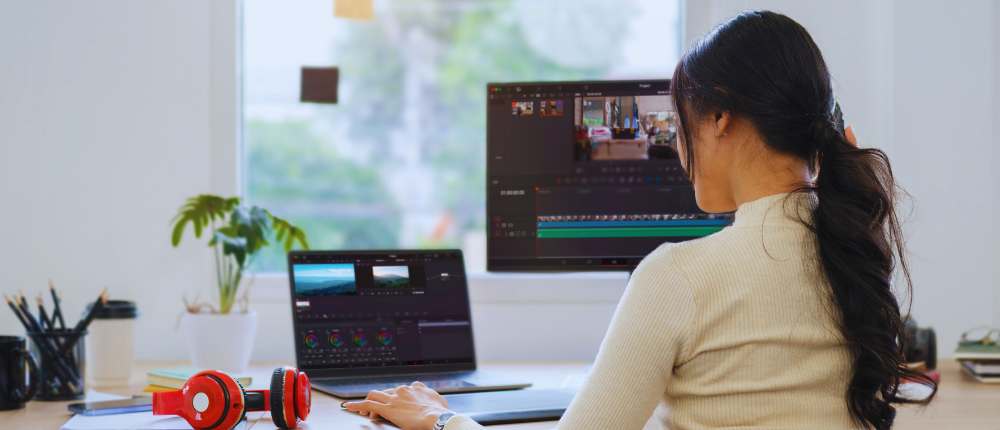
Whether you’re a seasoned content creator or just starting out in the world of video editing, you need a professional yet intuitive tool to help you bring all your creative ideas to life, quickly and efficiently. However, finding the perfect fit for all your editing needs can be tricky. You need to evaluate your exact needs and decide what key features you absolutely want in a video editor.
So let’s go over all you need to know in order to choose the perfect online video editor.
Defining your needs
The first step towards finding the perfect tool is figuring out what your video editing needs and goals are.
Do you intend to use this tool for personal projects, or will you require advanced features to help you produce complex videos with lots of transitions, motion titles and multi-layered audio tracks? These are some of the questions that will help you better identify the perfect editing tool for you. For example, if your workflow includes capturing raw footage directly from your screen, having a reliable screen recorder can be just as important as the editor itself.
Video type
Depending on the type of video you usually create, you might choose a different editor for videos online. For example, if you mainly publish personal vlogs which don’t require heavy editing – only a few cuts and transitions – you might get away with using a basic tool that only offers standard editing features.
If, on the other hand, you tend to create more complex, tutorial-type videos, with lots of transitions, animations, and on-screen text, then you should gravitate towards a more advanced tool like Flixier. This online video editor is a great choice for someone who wants to save time using an intuitive tool, yet enjoy a rich set of both essential and advanced video editing features.
Do you create videos exclusively for video-first social media channels like Instagram and TikTok? The answer to this question will guide you towards the right tool for you. For social media purposes, you should be using a tool that enables you to create videos quickly from templates and instantly publish them on social media.
Editing experience
Nobody’s born an expert at video editing. That’s why it’s important to find a tool that is user-friendly enough to match any skill level and advanced enough to handle the most complex editing projects. Better yet, choose a tool that will help you level up your video editing skill.
The key to the perfect tool for beginners is an highly intuitive interface, that essentially guides users through all its main features, enabling them to master the basics in no time and move on to move advanced features.
When it comes to more seasoned creators, the secret behind the perfect tool is usually a high degree of flexibility and of course, a rich set of features that allow them to unleash their creativity and control every step of the editing process.
While it can be described as a simple online video editor due to its ease of use for beginners, Flixier also caters to a large community of advanced users that leverage its powerful features to create complex videos, generate unique animations, convert text to AI voiceovers and much more.
10 key features to look for in an online video editor
Once you’ve defined your needs, it’s time to translate them into key features your ideal video editor should have. From an intuitive interface and ready-to-use templates to fast rendering capability, advanced keyframing systems, and multiple export options — you need to pick what matters most to you.
- Ease of use
Nobody wants to waste their time finding their way around a tool that is non-intuitive, no matter how powerful its features may be. To achieve maximum efficiency, you need a video editor online that is extremely user-friendly. For quick and complex projects alike, it’s important to have a tool that is easy to navigate and saves you time on any editing task.
- Cloud rendering
Speaking of saving time, if you’re looking for a quick video editor online, you might want to set your sights on a cloud-based tool like Flixier. Not only is it accessible from any web browser, which means you don’t have to deal with any downloads or installs, but it’s also incredibly fast and secure. Saving your progress in the cloud and rendering high-quality video and audio in record time is the key to efficient online video editing.
- Audio editing options
No matter how visually pleasing your videos may be, poor-quality sound will detract from your audience’s viewing experience and most likely discourage people from watching until the end. So, a key feature to look for in a professional video editing tool is advanced audio editing capabilities, such as removing background noise and reverb and fine-tuning your audio through equalizer settings, helping you achieve crystal-clear sound.
- Text customization flexibility
As engaging as your video may be, a well-placed caption or motion title can make a real difference. The way to go is to pick a video editing tool with many text customization options, allowing you to choose from a large selection of fonts, play around with their on-screen placement and timing, and apply unique animations that add flair and dynamism to your video.
- Templates/presets library
In your work as a content creator, it’s important to set up some shortcuts that allow you to save time and produce content more efficiently. That’s why an ideal video editor should have a large library of presets (filters, animations, etc) and video templates to get you started. Flixier boasts a massive collection of templates that you can fully customize to match your style.
- AI-powered features
Why not choose a cool video editor online that leverages the latest AI technology to automate and enrich your video editing workflow? Flixier uses AI to auto-generate subtitles for your videos, convert text to human-like AI voiceovers, and create unique AI artwork from simple prompts.
- Multi-track editing
Some of your more complex video projects might require you to layer multiple audio tracks to create an elaborate soundtrack. Having the option to move, cut and apply effects to multiple audio tracks can be a game-changer, which is why you should consider looking for a video editor that offers this possibility.
- Advanced keyframing
As a more experienced creator, you might benefit from using a tool that gives you full control of all the objects in your video editing timeline. Through advanced keyframing, you can adjust the position and size of any object and decide exactly when each element appears and disappears from your screen.
- Collaboration
If you are working as part of a larger video production team or require approval on your video project, video editing software with collaboration features is the key to an efficient workflow. With Flixier, you can enjoy instant team collaboration, allowing you to brainstorm, edit, and refine your work in real time.
- Compatibility
With so many important video editing features to think about, software compatibility sometimes becomes an afterthought. You can bypass this headache altogether by choosing a web-based tool like Flixier, that is compatible with any browser, operating system and PC setup, regardless of its specs.
Final thoughts
Picking the ideal online video editor for your needs can be a challenge, but it helps to know exactly what you need and what major features to look for in a video editing tool. My advice? Experiment with different tools, sign up for free trials, weigh the pros and cons of each, and in the end, choose the one that offers the best value for money (or for free) and is the best match for your particular needs.
***