• Link to Facebook
  • Link to Instagram
  • Link to LinkedIn
  • Link to Youtube
  • Link to Pinterest
  • Link to Mail
  • Link to Rss this site
02 9907 7777
Websites 4 Small Business - Website Design & Development
  • Home
  • Services
    • Website Design
    • Website Audit
    • Create Your Own Website – Web Design Coaching
    • Website Redesign
    • Website Design Extras
    • Business Logo Design
    • Domain Name Registration
    • Webhosting
    • Small Business Marketing
    • SEO Search Engine Optimization
  • Pricing
  • Testimonials
  • Portfolio
    • Website Design Gallery
    • Website Redesign Gallery
    • Business Logo Gallery
  • Blog
  • About
    • About Us
    • Guest Posts
    • In the Media
    • Business Partners
    • Privacy Policy
    • Service Provider Terms and Conditions
  • Guides
  • Industry
    • Coaches and Consultants
  • Learn
    • The Complete Guide to Website Design & Redesign
    • The Complete Guide to Website Conversion & Growth
    • The Complete Guide to Website Content & Visibility
    • The Complete Guide to AI & Automation
    • All Tutorials
  • Resources
    • FAQ
    • Ultimate Website Design Blackbook
    • 7 Powerful Ways to Promote Your Business for Free
    • FREE Downloadables
    • Savvy Woman’s Practical Guide to Online Business
    • Website Design Humour – Max vs Jordan
    • Website Audit Videos
    • Videos
    • Business Tools
    • Technical Jargon Explained
    • Search Engines and Directories
    • WordPress How To
      • How To Edit Pages Using the Enfold Theme
      • Enfold Theme Video Tutorial
      • How to Back Up WordPress Using CPANEL
      • How to Upgrade your WordPress Website
  • Contact
  • Click to open the search input field Search
  • Menu Menu
You are here: Home1 / Small Business Blog2 / Website Design3 / 5 Tips for a Better Website Footer Design
  • Website Footer Design

5 Tips for a Better Website Footer Design

As the barrier to entry to creating a website gets lowered, the digital world gets filled with websites of many different looks and standards!

If you are wondering how many websites are currently online – the number is about 2 billion!

Surprisingly most of these site owners don’t give much thought to website footer design. However, your website footer matters and does get noticed!

Approximately 3 out of every 4 visitors, who are going to judge your site based on looks alone, are going to notice it!

As such, your site footer does need to look just as good as the rest of your website.

Here is a list of 5 tips for creating an engaging footer for your website.

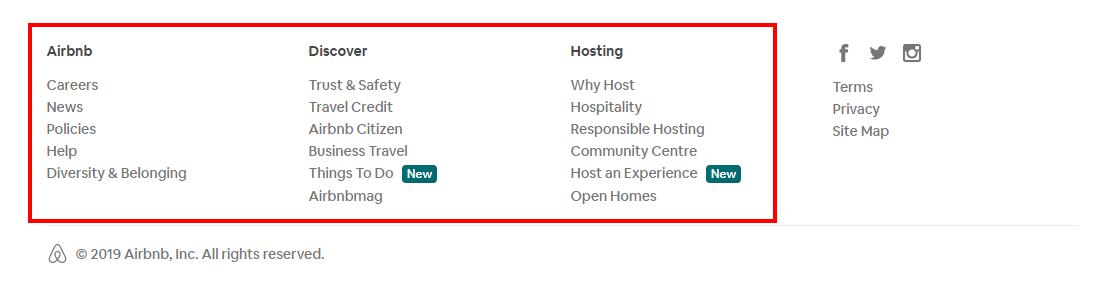
1. Include elements from the navigation bar drop-down menu

One of the key purposes of a footer menu is to retain visitors who are about to leave. There is a whole host of reasons why  a visitor would leave – one of them being he/she didn’t find what he/she was looking for. Thus it is good practice to include elements from your site navigation bar drop-down menu!

These include but are not limited to:

  • solutions your business provides,
  • pricing plans,
  • most popular offers,
  • your USP, i.e. what sets your business apart from your rivals,
  • product categories,
  • terms and conditions,
  • privacy policy.

Pro tip

Since your navbar is a crucial real estate of your site, there is little room for personalisation in the menu text.

As such, your menu items are generally very brief, however in your footer, you have a little wiggle room. So instead of having “Why us?”, your element can say “How we can solve your [problem] effectively”.
Website Footer Design

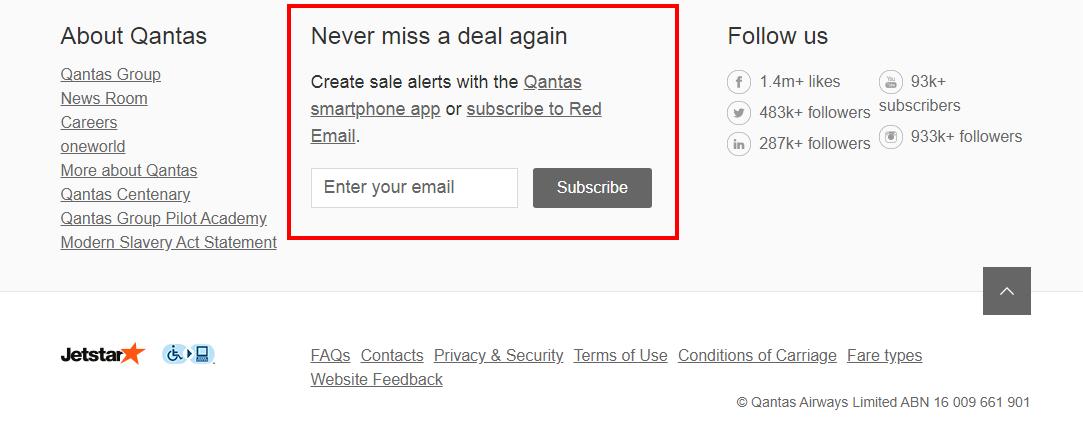
2. Place a sign-up button in the footer

Place a Call To Action with name and email form to capture potential leads! If you are saying to yourself “but I have already placed a sign-up button in the middle” – that is all fine, but perhaps your visitor didn’t notice it or missed it for some reason.

Whatever the case, web designers usually consider it a good sign if visitors scroll to the bottom of your site. People who read to the bottom of your website are more likely to turn into leads as they are interested in what you have to say!
Website Footer Design

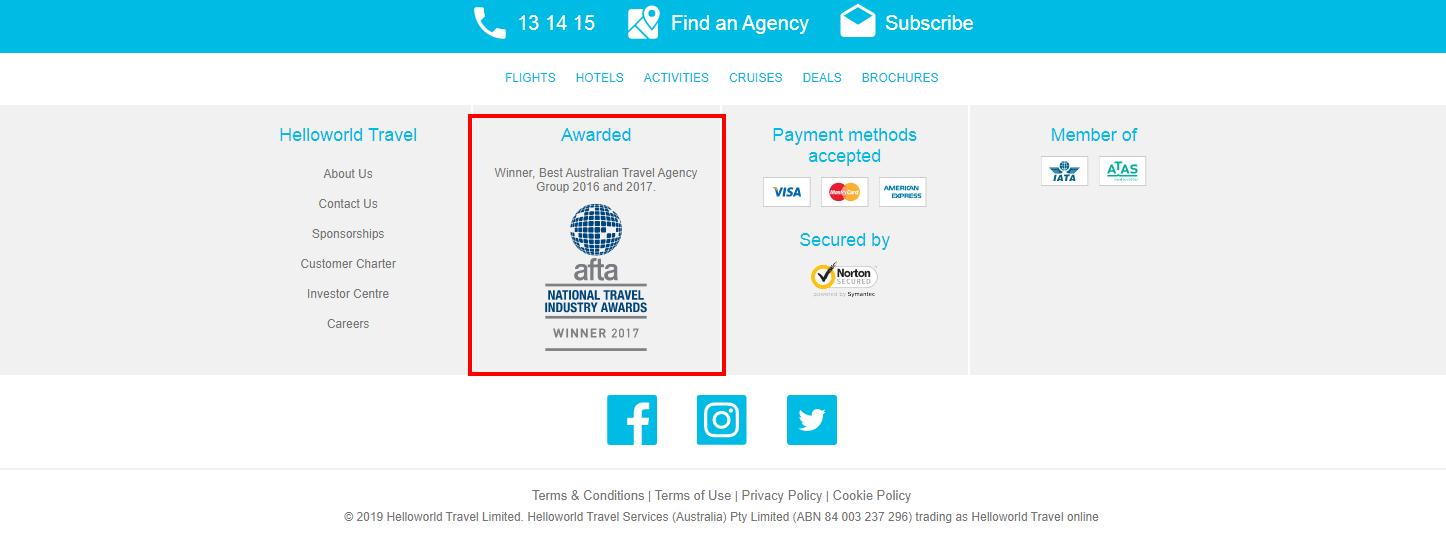
3. Include testimonials from happy customers and awards you have won

As a website owner, conversion-focused elements should be at the top of your priority list.

One way is to include testimonials from happy customers or awards you have won.

Although testimonials are often placed right under the features of your product or services, it is a good idea to include them in the website footer as well.

Placing testimonials and awards on your website is part of social proof  which is highly effective when it comes to conversions.

Pro tip

Try to place moderately long social media comments from happy customers. Make them appear one by one via minimalistic animation (no jarring motion). Your visitors will read the comments and like you a little more!
Website Footer Design

4. Place a search field in the footer

Since the attention span of people in the digital sphere is shrinking every day, many visitors may miss elements most relevant to them.

By the time they reach the footer, they might wonder about various aspects of your business. A search field in the footer will save them having to scroll all way back to the top.

It may also help extend the user session duration, which can help a website rank better in organic search.

Pro tip

Do make your search field easily distinguishable among various other footer elements.

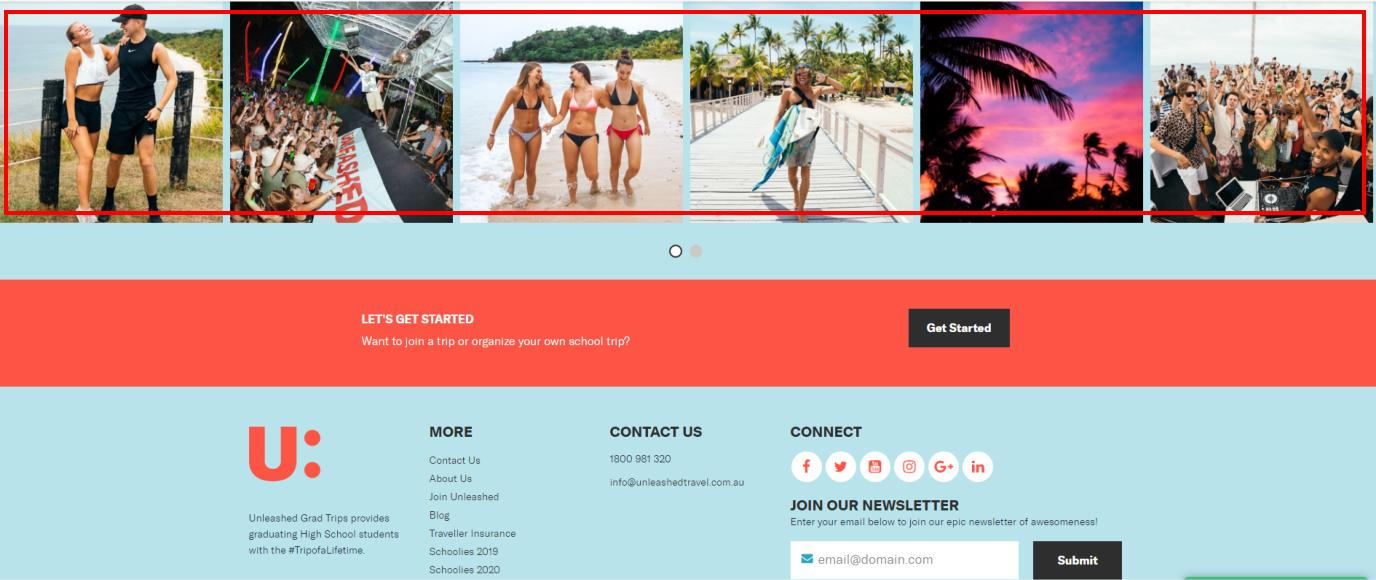
5. Having a slide-show mini gallery in the footer

When it comes to websites, there are three things that all site owners desire:

  • Good ranking in the organic SERPs
  • To keep visitors longer on their websites (which boosts SERP ranking)
  • To convert more visitors into leads/customers

Having a slide-show mini gallery in the footer can serve all three purposes.  A mini gallery may make visitors want to stop and explore the gallery, thus  spending a longer period on your site.

If your slideshow is engaging, the visitor is more likely to explore your website further or may subscribe to your mailing list.

Pro tip

Make sure the images you use are perfectly aligned with your overall site design and theme, brand voice and persona.
Website Footer Design

Bonus Tip

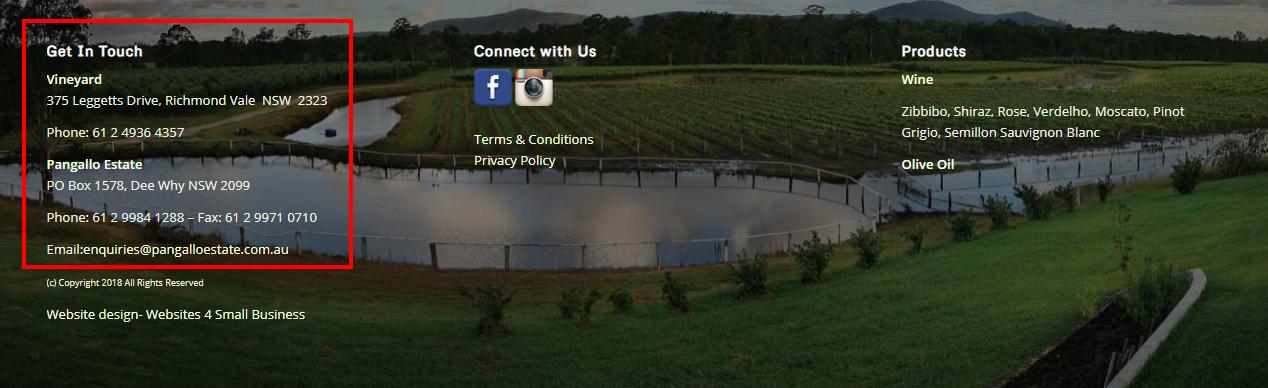
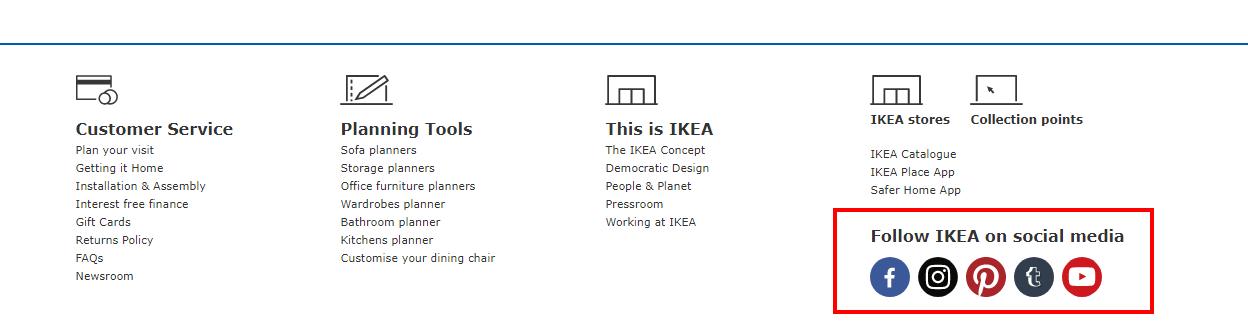
When a visitor reaches the bottom of your website, you want to guide them to take the next step – this may be to contact you, follow you on social media or read more information.

Including the following elements ensures your visitor takes action :

  • Email address
  • Phone number
  • Skype details
  • Your address and a map
  • Link to booking calendar
  • Links to social media profiles
  • Business hours
  • Sitemap
  • List of your latest blog articles
  • Payment methods you accept

Since your footer will be displayed on every page, having your contact details and business hours may prompt your visitors to contact you when they have finished exploring your website.
Your website footer design is very important for conversion!

Just like any other site element, the footer is crucial in delivering a well-rounded experience to your visitors.

Look at it this way, imagine watching a great movie on Saturday night – it has a great build-up but a below-average ending.


Liakat Hossain is a web strategist, freelance writer, and an independent blogger. He currently works at WebAlive Brisbane, a web design and development company. He loves digging up info on diverse ways of targeted digital advertising as well as history and geo-politics! In his break time, he is either enjoying the lake view through his window or playing table tennis.
Ultimate Website Design Secrets Black Book

Ultimate Website Design Secrets Blackbook

Insider secrets and simple tweaks you can make
to your website today that will make a huge
impact on your bottom line …

Download Ultimate Website Design Secrets

You may also be interested in:

All 6 /Website Design & Redesign 6
How to choose the right website designer on the northern beaches

How to Choose the Right Website Designer (Northern Beaches Guide)

Work from home on the northern beaches - Best spots and cafes

Work From Home on the Northern Beaches: Best Cafes and Laptop-Friendly Spots

Common website design mistakes businesses on the northern beaches often make

Common Website Mistakes Northern Beaches Businesses Make (and How to Avoid Them)

What pages does a website need for a business on the northern beaches

What Pages Does a Small Business Website Need? (Northern Beaches Guide)

How long does it take to build a website on the northern beaches

How Long Does It Take to Build a Website? (Northern Beaches Business Guide)

DIY vs professional website design on the northern beaches

DIY vs Professional Website Design: What Actually Works for Northern Beaches Businesses

Award Winning Website Designer

Wait. You Can Do That?

Use AI to get more done in less time – without adding more tools.

Wait! You can do that? Save 10–12 hours a week as a solo business owner using AI

Get the guide →

Many Happy Customers

I just wanted to say thank you for again building my new website, it looks fabulous and reflects my style totally. Thank you also for listening to my requests and not giving up until I was happy with the end result. As always you are a pleasure to work with and your knowledge and skill, not to mention your patience is unquestionable. I would happily recommend you to anyone seeking help with web design.

Danielle DuBois – Your Marriage Celebrant

****

I am delighted with your design of our web site. Your design ideas have always been in line with the company look and are fresh and innovative, as well as being easy to read and understand. Your suggestions regarding adding value to the web site and on how to get the site to work harder have been invaluable.

Not only have you fulfilled our design wishes, but you have also given that oh so necessary ongoing support. I have found this to be incredibly helpful and, for a small business, financially manageable. Now, if only you could bottle your creativity, enthusiasm and efficiency …..! Thanks Ivana! I look forward to continuing to work with you!

Louise Brogan - All Money Matters

Let's Connect

Facebook YouTube Twitter LinkedIn Pinterest

Follow us on Facebook

Download Library of Free Resources To Help You Grow Your Business

Resource Consulting Business

Categories

  • Accounting
  • Artificial Intelligence
  • Branding
  • Business Management
  • Business Online
  • Business Start-Up
  • Content
  • Customer Service
  • Domains & Webhosting
  • Email marketing
  • Finances
  • Legal
  • Marketing
  • Privacy and Security
  • Search Engines
  • Small Business
  • Social Media
  • Software
  • Staff
  • Technology
  • Time Management
  • Uncategorized
  • Website Design
  • Website Marketing
  • Work At Home
  • Workspace
Search

Recent Posts

  • Best Coworking Spaces in Melbourne for Web Designers
  • The Hidden Cost of Manual Finance Admin in Small Business
  • Why Australian Digital Marketers Are Investing in a Proper Home Office
  • AI Tools for Creating Marketing Presentations: Which Let You Edit Directly?
  • How Dark AI Differs from Traditional Cybercrime Tools
  • How to Run a Proper Website Chatbot Comparison Before You Commit
  • Clean Sites, Credible Businesses: The Outdoor Builder’s Guide to Local SEO and Job Site Logistics
  • When Your Website Success Creates Legal and Financial Challenges with Online Marketing
  • Why AI Video Creation Is the Biggest Shift in Content Production Since the Smartphone
  • Choosing an SEO Agency: A Practical Small-Business Guide

Contact Us

Tel: 02 9907 7777 – 0405 636 204
Email: ask@web4business.com.au
Location: Narrabeen NSW 2101, Australia
Areas: Website Design by Location

Must-Have Business Tools

Wait. You Can Do That?
Save 10 – 12 hours a week with AI

GetResponse Automation

Envato Market

Dropbox

Some content on this site may include paid placements. All content is reviewed to ensure relevance and quality for small business owners.

Award Winning WordPress Website Designer in Sydney for Small Businesses and Professionals


Connect

Facebook YouTube Twitter LinkedIn Pinterest

Solutions

Small Business Website Design & Development
Website Audit
Create Your Own Website – Web Design Coaching
Website Redesign
Business Logo Design
Domain Name Registration
Webhosting
SEO Search Engine Optimisation

Resources

Guest Posts & Editorial Features

Privacy Policy


© Copyright - Websites 4 Small Business - Enfold Theme by Kriesi
Link to: Why WordPress Is the Best Website Design Tool for Beginners Why WordPress Is the Best Website Design Tool for BeginnersWhy WordPress Is Best For Beginners Link to: 10 Best WYSIWYG Website Builders for Small Business in 2020 Wysiwig Website Builders10 Best WYSIWYG Website Builders for Small Business in 2020
Scroll to top Scroll to top