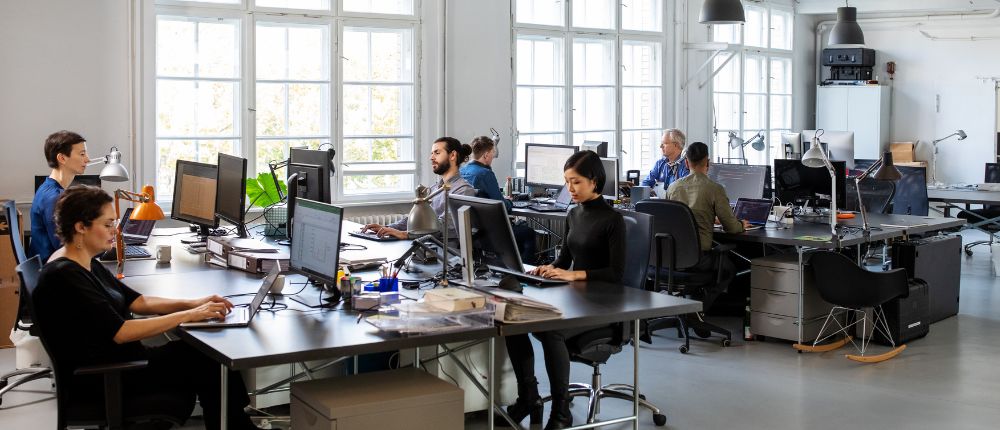
Office Optimisation: Tech & Design Investments That Support Your Team
When you have your own small business, there are so many things going on at any given time. Having an office that works for you and your employees can also become an issue. Whether it’s your printer not cooperating, a lack of conference rooms or just having outdated technology that slows you down. Your office space can play a role in helping you and your employees get through the day.
There are many ways to improve your office space. You don’t have to spend a ton of money buying the newest and greatest technology out there. There are ways to improve these everyday issues and make your office a better place to work. The trick is knowing which upgrades will genuinely make a difference to your business.
Let’s look at how thoughtful technology and design investments can help you create a more efficient, comfortable workspace that supports your team and gives your business room to grow.
Invest in Technology That Keeps Everyday Work Moving
When your team has to work around slow equipment, unreliable internet or clunky software, even the simplest tasks can take longer than they should. Investing in multifunction printers is a practical way to simplify everyday document management by bringing printing, scanning, and copying together in a single device. This can be particularly useful for small businesses that regularly handle contracts, invoices, reports and other paperwork but don’t have the space or budget for several separate machines.
Internet connection is another factor that can affect your employees’ day-to-day. Having poor internet can cause meetings to lag and not be able to open certain files. Reliable Wi-Fi and internet keep these programs available to your employees. It also needs enough capacity for multiple devices on your network.
Using cloud-based technology can allow your employees to collaborate with each other. Instead of sending emails to one another with documents or not knowing what the latest version is. Employees can collaborate on documents and have the ability to log in from different devices. Ensuring these upgrades work with your current systems can be very helpful.
It’s important to have technology that your team will actually use. Don’t buy something because it has all of the bells and whistles. What are your employees using technology for day-to-day? Where are they wasting time? And what repetitive task could be made easier? If your business deals with paperwork, investing in technology may not benefit you as much as it would someone who works on a computer 95% of the time.
Create a Workspace That Works for Different Tasks
Having a nice office isn’t going to be enough if your staff aren’t happy in it. Maybe they don’t have an area where they can focus. Maybe they can’t find a comfortable chair to work in or have to travel around the office to complete each task. If your office isn’t designed to help your workers achieve their goals, it can become counterproductive.
WorkSafe Victoria recommends considering the tasks employees perform, the equipment they use and their need for adjustable workstations when planning an office layout. Keeping these factors in mind can help you choose furniture and arrange work areas to suit the people using them.
Choose desks and chairs that let your staff feel comfortable while working. There are many things to look for when buying office chairs, such as height adjustments, lumbar support and a backrest. Beyond their appearance, chairs should be chosen for their ergonomic qualities. Make sure your employee has enough space for their monitor, keyboard, and other necessary items. Desks with adjustable height settings could also be a good fit.
With the essentials in hand, it’s time to think about creating distinct zones. Perhaps your employees need a quieter, more out-of-the-way area to focus. A central table can help your staff engage in group brainstorming. Or simply having a few spots for people to sit can make it easier for your staff to chat.
You may not have the space in a smaller business to create all these areas. Using furniture that’s easy to rearrange lets you make the most of your available space. As your business grows, you can rearrange your current desk configurations or buy more desks as needed.
Make Collaboration Easier With Smarter Meeting Spaces
There are so many things that can go wrong when having meetings. Whether it’s the technology or the type of room you have, things can go wrong. People struggle to hear others on video calls, try to see a presentation on a tiny monitor, or waste 10 minutes setting up. The right meeting-room technology helps people get the most out of their meetings.
If your business has staff working remotely and in-office, video conferencing is a good option. Having a camera, microphone and speakers can allow people to easily hear one another on video calls. Consider your meeting room size before investing in any technology. If you have only a few people in a meeting room, you may not need as much as you would in a large one.
Having screens is always a good idea to have in your meeting rooms. They let people view information more easily during presentations and other activities. Wireless presentation can also be useful if multiple employees will be presenting at once.
It’s not only the technology that you should think about but also your meeting room. Rooms with a lot of hard materials can make your room echo. Adding some soundproofing material and changing your room setup can help with this. Furniture arrangement matters, too. A small table with accessible seating might be ideal for quick team check-ins, while a larger table and presentation screen may better suit planning sessions.
Meeting room technology shouldn’t make your life more difficult. Find out what people struggle with when they are in meetings and add things that will help solve these issues. It doesn’t have to be expensive; you can simply change your room setup.
Improve Lighting, Air Quality and Everyday Comfort
Your office could have all the latest technology, but it can still be a bad environment to sit in for 8 hours a day. With screens glaring from the sun, stuffy meeting rooms and loud backgrounds, it can make employees feel uncomfortable throughout the day. And making these changes can be an easy fix for your office.
First, assess your office space and where sunlight hits. Desks facing windows are great for utilising natural light; however, they can cause screen glare and overheat parts of your office. Use blinds and curtains to let in sunlight while keeping the temperature comfortable. Use task lighting for areas that may need more light. Choose lighting that is bright enough for employees to see what they are doing.
Poor air circulation can also make your office uncomfortable. Have your air conditioning or air vents checked to ensure they are clean and not blocked. Open windows if you can allow this in your office. There may be ways you can modify your office to help with ventilation.
Check the temperature in your office, too. Are there certain areas that are too hot or cold? If so, try to work this into your office plan. Ask your employees what they think about your office. They will know what feels uncomfortable to them and can give you ideas on how to make changes.
Choose Office Technology That Grows With Your Business
Better technology will always be available as your company grows. Purchase systems that allow you to grow your team and processes without needing to buy more or transfer to another system. Find something that works for your current situation but has some room for growth.
When evaluating software for your small business, consider how easily it can scale as your operations become more complex. You may need to add users, or your company may require a higher-level plan that supports collaboration. Check out different prices for plans if your company decides to expand and you need to add users.
Make sure whatever software you choose will be compatible with your current system. It’s always best to have all your programs work together, whether that be accounting or any type of document program. Same goes for office supplies. Make sure that they can work with your computer and system. This can save you from having to pay more to integrate your systems.
Always look at the price of maintenance and extra programs that will be needed down the road. Whether it’s printers or computers, know the cost of upkeep. Programs you subscribe to may also go up in price. Before making a choice, be sure you fully understand your investment.
Measure Whether Your Office Investments Are Paying Off
We all want to believe that buying new technology or improving the work environment will allow us to get through our day a little easier. However, we need to ask whether it’s helping with the problems your employees had before.
There could be many reasons why employees get held up throughout their day. Are they trying to use pieces of equipment that others have checked out? Maybe they spend too much time looking for files or don’t have enough space to meet with others. Once you know what your employees may be having trouble with, you can focus your budget on things that will actually benefit them.
Employees can give you some great insight on this topic. They can tell you what equipment they use on a daily basis and what they think could slow them down. They can even let you know if they feel your office set-up allows them to do their job efficiently. This can be done during your normal team meetings or maybe send them a quick survey once a new piece of technology is purchased. Sometimes when you ask your employees for feedback, they can provide you with helpful information that you may not have thought of when deciding to make the purchase.
Paying attention to certain aspects of your office environment can reveal how it’s functioning. How many days does your equipment go down? How much are you spending on printers and paper? Are your meeting rooms being used often? If you’ve recently implemented new collaboration software, you can check whether your employees are using it. All of these will help you see if you’re getting what you paid for.
These checks can also help you review and reduce everyday office costs without compromising the quality of your team’s working environment. If you notice your printing costs are increasing, you can start looking for ways to lower them. Maybe changing how your employees print or setting defaults could help you lower your costs. You could also see how often you’re using your meeting room. If you’re only using it a couple of times a week, maybe you don’t need such a large space.
Remember, don’t wait until you’re ready to upgrade your office. Things can change as your business grows. By checking these things, you can keep providing your employees with an office that fits your business and your employees’ needs.
Build an Office That Helps Your Team Do Its Best Work
A nicer office isn’t always about spending a ton of money or revamping your entire workspace. There are many ways you can better your office to fit your needs and what your employees may want. Whether it’s faulty equipment, uncomfortable chairs, or not enough room to get work done, there are solutions. Once you know what your employees want, you can start investing in a better work environment.
The right combination of technology, thoughtful design and everyday comfort can help create a workspace where your team feels supported, work flows more smoothly, and your business is better equipped to grow.
***
Rajkamal