ObjectRemover.AI Review: Effortless AI Object Removal for Modern Designers
When you’re working in digital design, every second counts and clean visuals are essential. ObjectRemover.AI is a free online tool that uses advanced AI to quickly remove unwanted elements from photos—no Photoshop skills needed. This review explores how it works, why it’s a valuable addition to your design toolkit, and what to consider before using it in your workflow.
What Is ObjectRemover.AI and Who Needs It?
A New Standard in AI-Powered Photo Editing
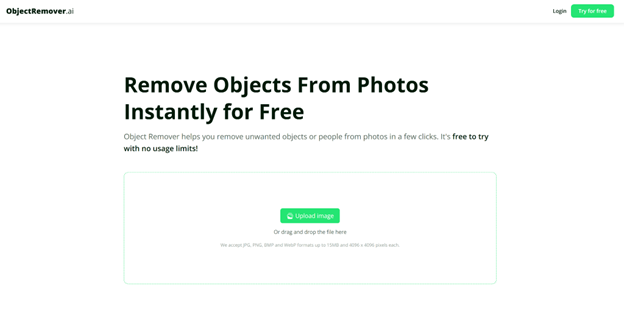
ObjectRemover.AI is a browser-based application that applies inpainting algorithms to seamlessly remove objects, people, or blemishes from images. Unlike traditional methods that demand manual cloning and masking, this tool automates the heavy lifting: select your target, click “process,” and let the AI rebuild the background.
Ideal Users and Scenarios
- Graphic Designers who juggle client revisions and tight deadlines.
- E-commerce Teams needing clean product photos without distracting props.
- Architects & Real Estate Marketers showcasing properties free of clutter.
- Social Media Managers crafting perfect lifestyle and event shots.
- Photographers seeking quick touch-ups on large image libraries.
If you’ve ever spent hours in Photoshop erasing a stray light pole or unwanted passerby, ObjectRemover.AI promises to cut that time by a significant margin—often from minutes to seconds.
Key Features That Redefine Image Retouching
AI-Powered Inpainting for Flawless Backgrounds
The heart of ObjectRemover.AI is its context-aware inpainting. The AI examines surrounding pixels—textures, shadows, colors—and reconstructs the erased area to match seamlessly. This precision is crucial for:
- Product Mockups: Removing studio rigs or hangers without leaving ghost images.
- Portrait Retouching: Erasing blemishes or photobombers while preserving skin tone and lighting.
- Environmental Photography: Deleting trash or construction debris without breaking natural lines.
Batch Processing for High-Volume Projects
Design teams often process dozens—or hundreds—of images at once. ObjectRemover.AI’s bulk upload feature lets you queue multiple files, apply the same removal mask, and download polished assets in one go. This is a game-changer for:
- Seasonal catalogs.
- Event photo sets.
- Product launch galleries.
Cross-Format Support and Quality Preservation
Supporting JPG, PNG, and WebP, ObjectRemover.AI integrates smoothly into any design stack. It’s built to:
- Maintain Resolution: No downscaling, so prints and high-res web assets stay crisp.
- Preserve Transparency (PNG): Crucial for layered graphics and UI elements.
- Optimize WebP Files: Balancing quality and download speed for modern web delivery.
Non-Destructive Workflow with Version Control
Every processed image remains separate from your original upload. You get a downloadable copy—no accidental overwrites. This safeguards assets, letting you revert or reprocess with different settings if needed.
User-Centric Interface and Real-Time Previews
ObjectRemover.AI’s UX follows a straightforward, three-step pattern:
- Upload or Drag-and-Drop: From local storage or connected cloud drives.
- Mask Selection: Brush or lasso tools adapt to intricate edges—hair strands, metallic fixtures, or foliage.
- Process & Preview: Instantly see before/after comparisons and fine-tune removal strength via sliders.
This intuitive design ensures even beginners can achieve professional-grade results within minutes.
Practical Applications Across Industries
E-Commerce & Product Photography
Clean, distraction-free product images are proven to boost conversions. ObjectRemover.AI helps you:
- Eliminate Background Clutter: Studio stands, price tags, reflection traps.
- Focus on Details: Highlight textures, colors, and features without visual noise.
- A/B Test Visuals: Quickly generate variant images for split testing landing pages.
Architecture, Real Estate & Urban Planning
For property showcases or client presentations:
- Erase Unwanted Structures: Power lines, parked cars, scaffolding.
- Unobstructed Facades: Emphasize architectural details by removing temporary signage or barriers.
- Clean Aerial Shots: Strip out shadows or equipment visible in drone footage.
Social Media & Influencer Content
Engagement hinges on perfection and authenticity. This tool lets you:
- Remove Competing Logos: Keep brand partnerships front and center.
- Erase Photobombers: Ensure your subject always stands out.
- Polish Lifestyle Shots: Correct minor distractions in flat lays and behind-the-scenes snaps.
Packaging Design & Prototyping
Concept artists and packaging teams use ObjectRemover.AI to:
- Remove Placeholder Labels: Swap out draft text for final artwork seamlessly.
- Erase Prototyping Marks: Serial numbers, QC stickers, and assembly guides.
- Streamline Iterations: Run multiple design mockups without rebuilding backgrounds from scratch.
Exhibition Documentation & Archival Photography
Museums, galleries, and cultural institutions benefit by:
- Erasing Glare & Reflections: From glass display cases or polished surfaces.
- Subtracting Security Gear: Surveillance cameras, visitor barriers, or stanchions.
- Isolating Artifacts: Generate clean images for catalogs and press releases.
Under the Hood: Technology and Performance
Advanced Inpainting Algorithms Explained
ObjectRemover.AI’s core engine leverages convolutional neural networks (CNNs) trained on millions of image patches. Key techniques include:
- Texture Mapping: Ensuring consistent fabric patterns or surface granularity.
- Light & Shadow Matching: Preserving natural-looking illumination gradients.
- Perspective Reconstruction: Maintaining vanishing points and architectural lines in backgrounds.
File-Type Specific Enhancements
- JPG Mode: Recalculates compression blocks to hide artifacts.
- PNG Mode: Rebuilds transparent pixel layers without introducing halos.
- WebP Mode: Applies web-optimized compression with minimal loss in detail.
Speed & Scalability
Our tests with 12-megapixel files showed full processing in under 8 seconds on average—comparable to desktop retouching but without the software installation or licensing overhead.
User Experience, Integration, and Accessibility
Browser-Based Convenience
No downloads, no installs, no steep hardware requirements. ObjectRemover.AI runs entirely in the cloud, letting you:
- Work on Chromebooks, Macs, PCs, and Linux machines equally well.
- Save local storage space—just upload, process, and download.
- Ensure cross-device consistency, as settings and history persist in your account.
Cloud Storage & Collaboration Options
Link to Google Drive or Dropbox for direct file imports. Team members can share masked images and results via unique URLs—ideal for asynchronous collaboration between designers, copywriters, and stakeholders.
Support and Learning Resources
- Step-by-Step Tutorials: Video demos cover basic to advanced features.
- Knowledge Base: Articles on edge-case techniques (e.g., hair removal, reflective surfaces).
- Community Forum: User-driven tips, prompt advice, and feature requests.
And because it’s free, you avoid long-wait support tiers—responses come from an active user community and developer team.
Conclusion: Is ObjectRemover.AI Right for Your Workflow?
ObjectRemover.AI rethinks the way designers, marketers, and photographers handle object removal. By harnessing AI-powered inpainting, batch processing, and a cloud-native interface, it slashes editing time and keeps focus squarely on creativity rather than technical tedium.
While it doesn’t replace every feature of heavyweight tools like Adobe Photoshop, it excels as a first-pass editor—cleaning up raw assets quickly so you can dedicate more time to design strategy and visual storytelling. For teams of all sizes looking to optimize their image workflows without breaking the bank, ObjectRemover.AI is an indispensable addition to the digital toolkit.
***************
Nikhil Sharma