How to Use Vintage Photos to Create a Unique Small Business Website Design
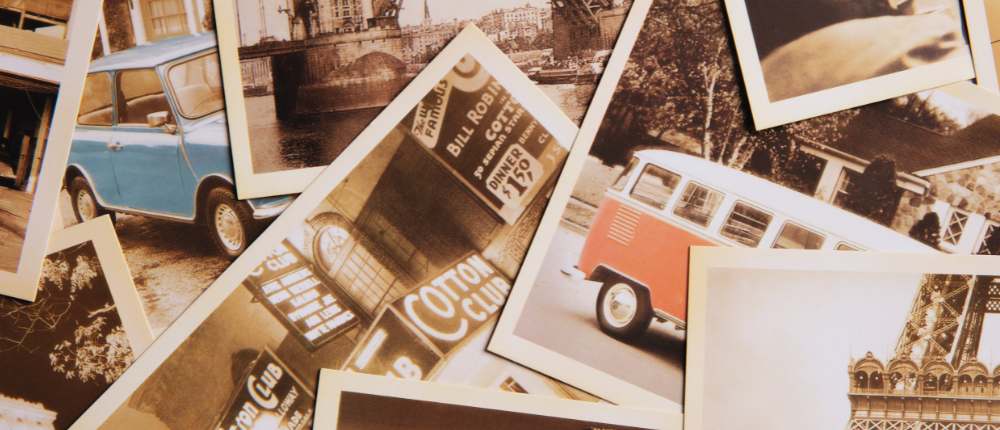
Vintage photos have a timeless charm that instantly catches the eye. They bring a sense of nostalgia and warmth that can make your small business website stand out from the crowd. If you’re passionate about the idea of using vintage photos for your business website or have tips to share with other small business owners, consider becoming a guest blogger. This can not only boost your business’s visibility but also position you as an expert in your niche.
Whether you’re running a boutique, a cozy café, or an artisanal shop, incorporating vintage imagery into your website design can give it that unique personal touch, helping you connect with your audience on an emotional level. But, how exactly can you use these photos on your site? And what if you don’t have old photos at your disposal? No worries! You can give any modern photo a vintage look using editing tools. Programs like PhotoWorks make it easy to achieve that retro feel with just a few clicks. If you’re interested in learning the steps, check out this detailed guide on how to make a picture look older.
Now, let’s dive into the world of vintage visuals and discover how to make them work for your website.
Adding Nostalgic Charm with Vintage Photos
So, why should you consider using vintage photos in your website design? The answer lies in their ability to tell a story. They take visitors back to simpler times, and this can be particularly powerful for businesses that focus on heritage, tradition, or craftsmanship.
If your business has a rich history or you want to convey a certain old-world charm, using actual vintage photos can add a layer of authenticity to your website. For example, a family-owned bakery could display photos of the original store from decades ago. A tailor shop might show images of suits being made by hand in the early 20th century. Such photos create a connection between past and present, showing customers that your business has roots, tradition, and values.
Why Vintage Photos Work So Well in Web Design
When customers visit your website, they want to feel something. They want to connect emotionally with your brand. Vintage photos bring back memories of times gone by, creating a sense of nostalgia. This can help people feel more relaxed and at ease when browsing your site. It’s especially effective if your business offers handmade products, services rooted in tradition, or a focus on family values.
For example, if you run an artisanal goods shop, using vintage imagery can emphasize your dedication to craftsmanship. Customers can immediately sense that your products are not mass-produced, but lovingly made, using methods passed down through generations. A retro aesthetic can work wonders for businesses that want to highlight values like tradition, quality, and authenticity.
Imagine a website that greets visitors with a faded photo of a traditional workshop, tools scattered on a worn wooden bench, and natural lighting that feels like a time capsule. Visitors would instantly feel that your brand is trustworthy and dedicated to excellence. You’re not just selling products – you’re telling a story that resonates.
The Magic of Modern Photos with a Vintage Twist
Even if you don’t have original vintage photos, you can still achieve the same aesthetic by transforming modern images into retro-style pictures. With the right tools, you can recreate the feel of old photographs, adding grain, fading colors, and giving them a warm, nostalgic glow. This gives your site a unique visual identity, capturing your audience’s attention and standing out in the sea of modern, polished web designs.
For small businesses, especially those with limited marketing budgets, this approach can be a game-changer. You don’t need to invest in expensive photo shoots or stock images. Instead, you can work with what you have – snapping high-quality, modern photos and using tools like PhotoWorks to give them that old-school charm. You can easily turn bright, crisp images into warm, timeless ones by following a few simple steps.
Step-by-Step Guide: Transform Modern Photos into Vintage Artworks
Innovative and intelligent photo editor, PhotoWorks is suitable for this task due to its numerous filters and effects including dozens of vintage and photo film effects that can instantly send your photo back in time, its vignetting tool, its color mapping feature and its multiple color correction options. PhotoWorks is easy-to-use even for beginners and can save you a lot of time on photo editing letting you create attractive content for your website in a short space of time.
Here’s a basic instruction to help you get started with vintage-style photo editing using PhotoWorks:
Upload Your Photo: Start by choosing a high-quality modern image that represents your business. For example, if you run a coffee shop, a cozy shot of your café with soft lighting would work great.
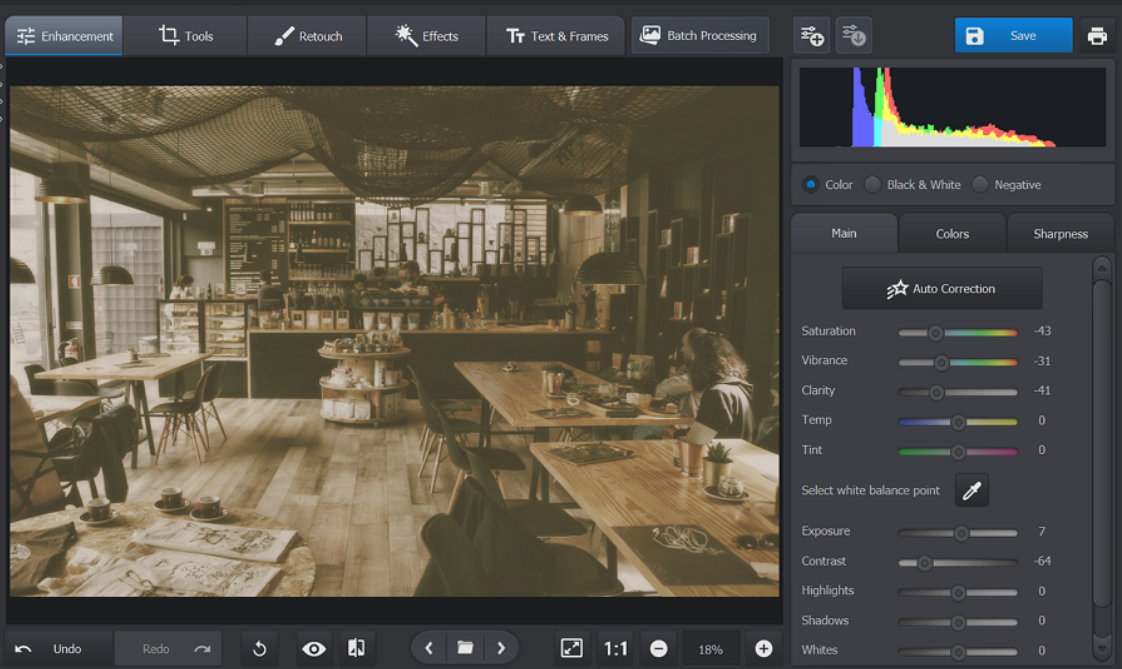
Decrease Saturation: To make your photo look older, reduce its colors by simply dragging to the left the Saturation slider under the Enhancement tab. If you wish, you can make the photo black and white as well
Apply a Sepia Filter: This is a common effect used to make photos look aged. A sepia tone gives your image that warm, brownish hue often seen in old photos. In PhotoWorks, you can achieve this effect by clicking on the Tone Mapping option under the Effects tab and by choosing a yellowish hue.
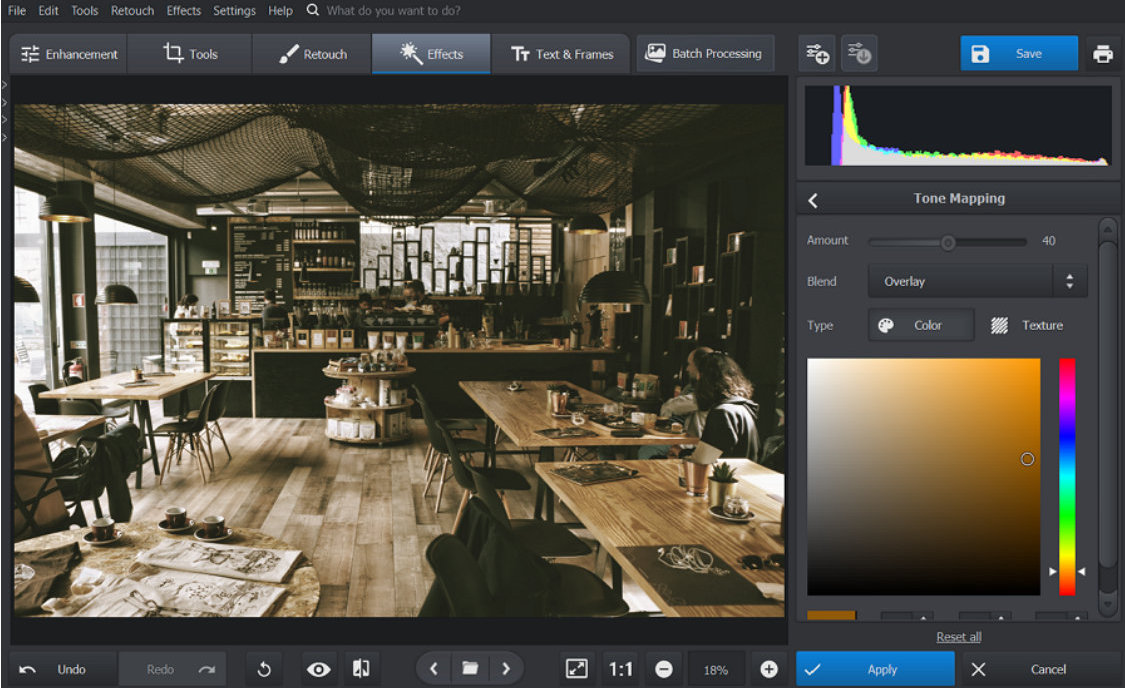
Add Grain: Old photos tend to have a grainy texture. You can replicate this by adjusting the grain settings. This will give your image a slightly rough texture that looks like it was shot on film decades ago.
Adjust the Contrast and Brightness: To further age your photo, reduce the contrast and increase the exposure a little. You can also reduce the clarity to give your photo a slightly dim look. Faded colors and soft light mimic the look of photos that have been exposed to years of sunlight
Add a Vignette: This effect darkens the edges of your photo, drawing attention to the center. Many vintage photos naturally have this effect due to older camera lenses. In PhotoWorks, you can find the Vignetting tool under the Tools tab. Move the Amount slider to the left to darken the edges and adjust other settings for a more authentic look.
Apply a Vintage Effect: If you are short of time, you can transform your modern photo into a retro one in a single click: go to the Effects tab and choose one of the Vintage or Photographic Film effects that give your photo washed out colors, rounded corners and even scratches in a jiff.
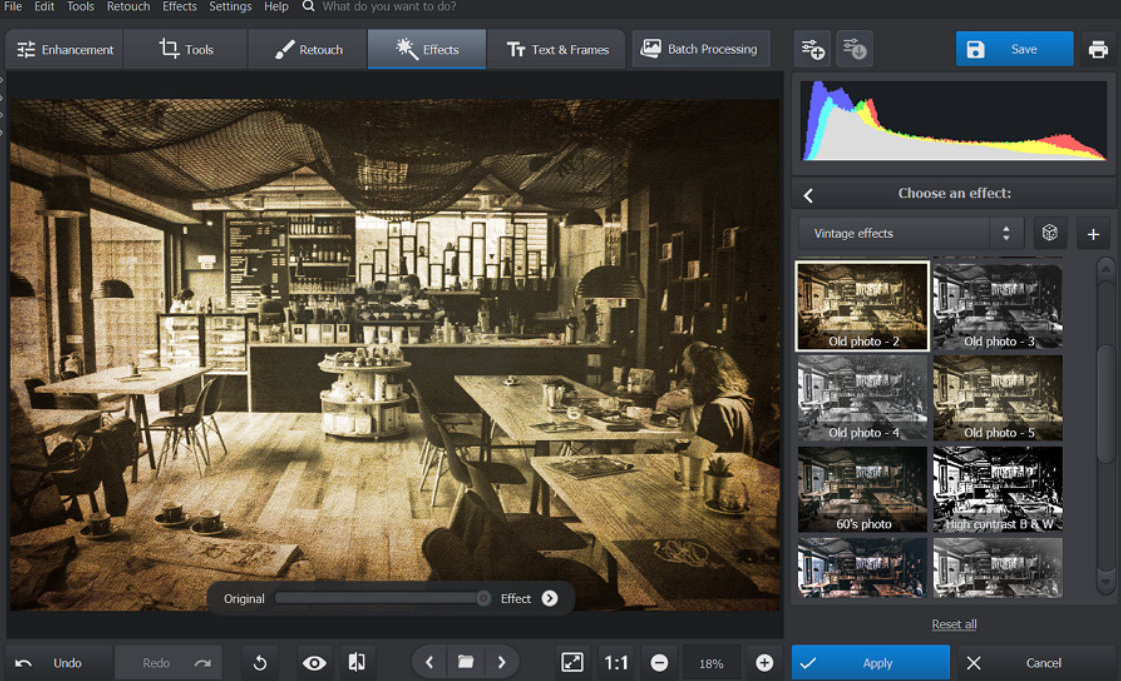
By following these steps, or at least some of them, according to your purposes, you can turn any modern photo into a vintage masterpiece, perfect for your website. The best part? You don’t need to be a professional designer to do this. With intuitive software like PhotoWorks, anyone can achieve this look with minimal effort.
How Vintage Photos Reflect Your Brand’s Personality
Incorporating vintage imagery into your web design allows you to showcase your business’s personality in a subtle yet impactful way. For example, if your business focuses on handmade products or has a long-standing heritage, using vintage photos emphasizes these aspects. It signals to customers that your brand values tradition, quality, and craftsmanship.
Businesses that promote retro or vintage-inspired products will also find this visual style perfectly adapted to their branding. Whether you’re running a 50s-style diner, a record shop, or a clothing store selling retro fashions, the right imagery can set the tone and immerse visitors in your world.
And it’s not just about selling products – it’s about telling your brand’s story. Vintage photos have a way of conveying warmth and sincerity. They take us back to a time when things were simpler, and this feeling can be incredibly powerful for small businesses aiming to build trust and loyalty with customers.
Practical Applications for Different Business Types
Wondering how vintage photos can work for your specific type of business? Here are some ideas based on various industries:
- Restaurants and Cafés: Show photos of old cooking equipment, black-and-white shots of people enjoying meals, or sepia-tinted images of fresh produce. This will enhance the cozy, welcoming feel of your place.
- Boutiques and Clothing Stores: For stores selling vintage or retro-inspired clothing, photos of old sewing machines, classic fashion styles, or vintage models can create a cohesive aesthetic.
- Artisanal Shops: Use faded images of handcrafted products, such as pottery, leather goods, or woodworking, to highlight the time and effort that goes into each creation.
- Family-Owned Businesses: Showcase photos of past generations who started the business. This can help build an emotional connection with customers, showing that your company has a rich history and values tradition.
Wrapping Up: Bringing Vintage Flair to Modern Websites
Vintage photos aren’t just about adding visual appeal. They tell a story. They make people feel something. For small businesses, this can be a key way to stand out in a crowded market. Whether you use real vintage photos or transform modern ones to achieve that old-timey effect, incorporating this style into your web design adds depth, personality, and warmth.
Plus, with user-friendly tools like PhotoWorks, it’s easier than ever to create these visuals yourself. By adding grain, sepia tones, or vignettes and by adjusting contrast, saturation, exposure and clarity, you can bring a nostalgic atmosphere to your business website without the need for professional editing skills.
So, if you want to create a small business website that feels personal and unique, give vintage photos a try. They’ll not only capture attention but will help you build an emotional connection with your customers that lasts.
***
Jane Oldman