
4 WordPress Plugins for Creating High-Converting Online Forms
Did you know there are over 47,000 WordPress plugins available? While online form plugins make up a fraction of that, there are quite a few options. So if you want to create high-converting online forms, you should know which plugin to use.
While the right plugin won’t guarantee conversions, it can help. That way, you can spend less time messing with your forms and more time creating a great website, nurturing your leads and working with customers.
Read on to learn about some of the best WordPress plugins for creating online forms that convert.
1. Ninja Forms
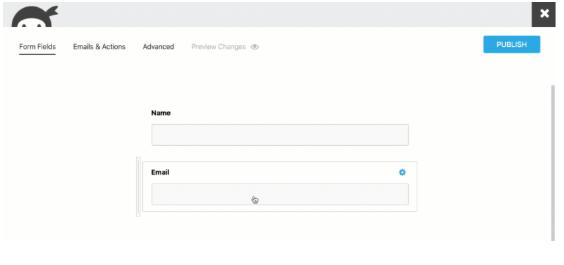
Ninja Forms is an excellent WordPress plugin to create high-converting online forms. Anyone can use the plugin without any design or coding experience. Your forms can be as simple or complex as you want, and Ninja Forms offers a support team if you have questions.
The plugin focuses on drag-and-drop fields, so you can add the fields you want, where you want. And there are different layouts available to help make your form convert more people. Plus, everything can look nice with your existing WordPress website.
You can design conditional and multi-page forms. That way, you can get as much information from people as possible, and you can keep the forms from overwhelming your leads.
The plugin integrates with email marketing software, including Mailchimp, ConvertKit, and Constant Contact. And you can accept payments through the plugin, which is perfect when booking appointments.
Some of the plans also integrate with programs like Zapier or Salesforce. It’s an amazing option for a solo entrepreneur, and small agencies can also benefit from Ninja Forms.
Pricing
Ninja Forms has three tiers, each with fantastic features. The Personal plan costs $49.50 to $99 per year, and you get access to the basic features to create your online forms on one site.
Upgrading to the Professional plan costs $99.50 to $199 a year. It comes with everything on the Personal tier, but you can also integrate the forms with some programs. And you can save form progress and use the plugin on up to 20 websites.
The highest tier is the Agency plan, and it costs $249.50 to $499 per year. You get all of the features on other packages plus access to Ninja Form add-ons. This plan also connects to even more email marketing options, and you can view your analytics.
If you want to customize your Ninja Forms experience, you can use add-ons. That way, you can purchase the features you need without committing to a plan. If you need more functions, you can upgrade to a package at any time.
Add-ons include layouts, multi-page forms, and file uploads. Each add-on starts at $49 for a single site and goes up to $129 for 20 websites.
2. WPForms
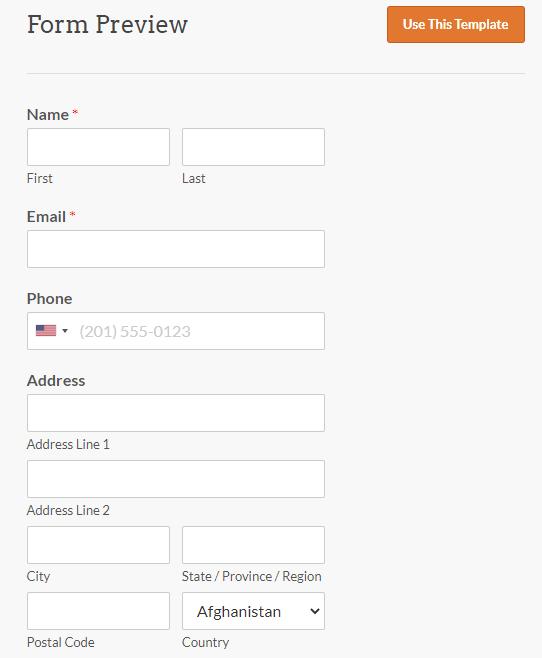
Another drag-and-drop form builder plugin to consider is WPForms. This tool lets you design a variety of high-converting forms, including:
Contact forms
Newsletter forms
Survey forms
Payment forms
Registration forms
You can choose from over 100 different templates to design the best form for your website. It’s a responsive plugin, so your forms will work on mobile devices as well as a traditional desktop or laptop.
The plugin lets you view all of your leads in one place, and you can get notifications so that you can respond to leads quickly. That way, you can grow your business and keep new subscribers in your sales funnel.
If you want to add people to your email list, WPForms lets you do that. It integrates well with popular email marketing programs like Mailchimp. The forms are easy to embed on your website, so they can look natural and be easy to use.
WPForms also lets you add smart CAPTCHA to help reduce spam. You can even take payments for online orders or other donations. The plugin integrates with PayPal, so you can quickly receive the money and transfer it to your bank account.
Anyone who wants to create custom forms should give this plugin a try. All you need for it to work is a self-hosted WordPress website. You don’t need to hire a developer to create the forms, which makes it an excellent choice for people on a budget.
Pricing
Out of the four WPForms tiers, the Basic plan is the most affordable at $39.50 to $79 per year. You can create as many forms as you want and receive unlimited submissions on one site. It gives you access to the various templates and notifications, and you can get support.
The Plus plan includes everything in the Basic plan, but you can use it on three sites. You can also integrate the plugin with your email marketing software. Creating form automation is also available, and all of this costs you $99.50 to $199 yearly.
If you need even more features, consider the Pro tier, which works on up to five websites. It costs $199.50 to $399 a year, and you get to accept payments. You also receive access to more form templates, conversion tools, and different add-ons, like offline forms.
The most expensive tier is the Elite plan at $299.50 to $599 per year. This plan comes with every feature on the Pro plan, plus premium integrations and site management. It’s a great option if you want to design forms for clients because you can use it on as many websites as you need.
3. Contact Form 7
Contact Form 7 is an excellent plugin you can use to create high-converting forms. It’s an especially attractive option if you want to focus on getting people to message you. The plugin is also a good option for people who like working with code instead of visual editors.
As an open-source plugin, anyone can contribute to it. The creator of the plugin is pretty good about updating the plugin, which is great. That way, you don’t have to worry about the plugin when focusing on your WordPress maintenance schedule.
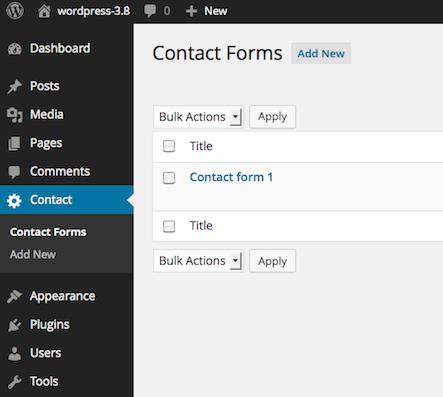
It’s easy to keep the plugin up to date, and you can create different forms with it. You can customize the forms within the form editor, and you can add the right contact form to various pages.
That’s a great feature for people with different services. You can create a form for people to sign up for consultations and another form for people to hire you as a designer, for example.
Forms can have different fields, such as:
Number fields
Text fields
Radio buttons
Checkboxes
Simple CAPTCHA
It integrates with services like Constant Contact, so you can connect it to your email marketing list. The developer is also working on a Stripe integration, which means you’ll be able to take payments through the form.
Pricing
One of the most significant benefits of Contact Form 7 is that it’s free to use. You don’t have to choose from different tiers or worry about if your plan has the features you need.
If you want to support the plugin, you can pay $7 to access the Wapuloader for Contact Form 7 feature. The feature isn’t necessary, but it changes the spinner someone sees when they submit a form.
Plus, you can know that you’re supporting the plugin that helps you create forms to convert visitors into leads or customers. And you get to slightly change what people see after they fill out a contact form.
4. Visual Form Builder Pro
Visual Form Builder Pro is a great option to compare with the other form plugins. It doesn’t require any coding, so anyone can use it with ease. The plugin even offers a live demo so that you can make sure it’s the right option for you.
There’s a drag-and-drop interface, so you can focus on the more visual aspects of your forms. It also offers different fields, including widget fields, to help customize the forms on your site. Plus, you can upload files and attach them as previews for your visitors to check out.
You can also design the emails to make them look good when someone fills out a contact form. That way, it won’t look so plain or potentially spammy. Add your branding or other details to make the emails more interesting.
Visual Form Builder Pro also tells people when they make a mistake. But they remind users nicely rather than in a more annoying way. That can help people feel better, so they can fill out the form more easily.
Whether you decide to migrate to a different site or want to back everything up, you can export the data from your forms. This plugin is also responsive, so people can contact you from any device.
VFB Pro also uses reCAPTCHA to help with spam protection. It complies with GDPR, which is fantastic if you have visitors who live in the European Union. And the plugin will save each form submission for you to access right in your plugin database.

Pricing
Instead of charging an annual fee, Visual Form Builder Pro is a one-time purchase. You can buy a license for every site that you want to use the plugin on, and you can buy the license when you need it.
The VFB Pro tier lets you create unlimited forms and fields for a single site, and it costs $29. But you’ll have to buy any add-ons you want separately.
If you know you’ll want add-ons, like payments or notifications, you can spend $69. That gets you access to all available features for your single site.
Web developers can buy the Developer Bundle for $199. Like the other tiers, you only pay that price once, and you can use the plugin on as many sites as you need. Plus, it comes with different add-ons.
Visual Form Builder also has a free version you can use to test out the plugin on your site. It has a few basic features, so you can make sure it’s the right fit for you before you buy it. But you can also test out the premium features with a live demo.
Which WordPress Plugin Will You Use to Create High-Converting Online Forms?
Being able to create high-converting online forms and surveys is crucial for any business owner. Fortunately, you can use a WordPress plugin to get the job done.
But with all of the WordPress plugins out there, it can be hard to find one that works. Start your search with the plugins listed, like Ninja Forms or Visual Form Builder Pro.
All of these tools have unique features to help you build great forms. Then, you can focus on getting leads to your site rather than convincing current visitors to fill out a poorly designed form.
Ultimate Website Design Secrets Blackbook
Insider secrets and simple tweaks you can make
to your website today that will make a huge
impact on your bottom line …