How to Plan Your Website Before You Start Building It
Planning your website before you start building it is a smart move. First, think about who your audience is and what you want your site to achieve. Jot down the main goals and what kind of content or features you’ll need. Sketch a rough outline or map of your site’s structure to see how pages will connect. This can save you time later and make the building process smoother. Also, consider the look and feel you want—colours, fonts, and layout that suit your style. Taking these steps before you dive into building will help you stay focused and avoid big changes down the road.
1. Define Your Goals and Audience
Trying to build a website without a clear plan usually ends up wasting time, going over budget, and producing something that doesn’t really meet the business goals. Planning ahead helps make sure your website has a clear goal, makes sense to navigate, and has the right technical setup before you start designing or building it.
This guide walks you through the key steps to take before you start building, so you end up with a website that’s clear, easy to use, and does exactly what it’s meant to do.
First, figure out what you want to achieve and who you’re trying to reach.
Before worrying about layouts, colours, or technology, you first need to figure out what your website is supposed to accomplish. Are you looking to get leads, sell things online, show off your portfolio, or just share some information? Having clear objectives will guide every choice made afterward.
It’s just as important to know who your target audience is. Think about who they are, what problems they need solved, and how they might use your site. A website for corporate decision-makers is going to sound and look a lot different than one made for students or people in the local community. Knowing your audience from the start helps make sure your messaging, navigation, and calls to action match what users expect.
2. Research, Content and Structure
After you know your goals, the next thing is to plan what your website will have. Begin by writing down the main pages you need, like Home, About, Services, Blog, and Contact. Then, create a basic sitemap to show how they link together.
At this point, planning the content carefully really matters. Consider what information users need at each step of their journey and find a clear way to share it. Look into what your competitors are doing in your field to find common patterns and spot any areas they might be missing. Think about search engine optimisation (SEO) right from the start by picking the right keywords and making sure each page has a clear focus.
Organizing content well from the start helps prevent big changes down the road. A clear navigation menu and a simple page structure help people use your site better and make it easier for search engines to find.
3. Drawing up UX ideas and making wireframes
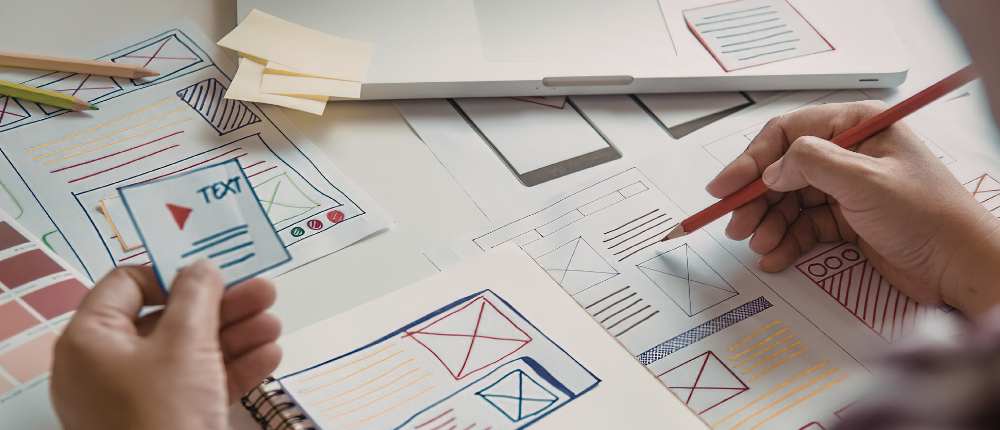
Now that you have your structure set, it’s time to picture how each page will actually function. Wireframes are basic sketches that show where important parts like navigation menus, headings, images, forms, and calls to action will go.
Right now, just concentrate on making sure it works, not on how it looks. Wireframes help you check how users move through a site and make sure key information is where it needs to be. They also come in handy for getting feedback from stakeholders before development starts, which saves time and cuts down on expensive changes later on.
If you focus on improving layout and usability right from the start, you set up a strong user experience (UX) base before writing any code.
4. Technical Considerations and Planning Tool
Before you start building, there are a few practical choices you need to make. Pick the platform or content management system (CMS) that fits your needs, lock down your domain name, find a trustworthy hosting service, and set your budget and timeline. You should think about how to measure success, like setting up analytics and tracking conversions.
You should include security in your planning right from the start. When you’re working on development, especially if your team is remote, it’s really important to keep staging sites and sensitive data secure. Using secure access tools like a Windows VPN helps protect configuration details and stops unauthorized access while the site is under construction.
Sorting out these technical details early on cuts down on problems later and makes the launch go more smoothly.
In the end, what really matters is how everything comes together and what we take away from it all.
Taking the time to plan a website before you start building it usually ends up saving you a lot of trouble later on. If you set clear goals, know who your audience is, organize your content well, and get the technical parts ready, your chances of building a successful website go way up.
When you take the time to plan, you’re not just making a website—you’re making one that actually works.
***
RCP