
Why WordPress is the Best Website Design Tool for Beginners.
By now, almost all of the Internet’s population has heard of WordPress. It’s the most popular CMS in the world, powering 34% of the internet, according to “Who Is Hosting This?”
Some website builders are very easy to use but are very limited in their functionality and customizing options. WordPress, on the other hand, manages to be highly-customisable without compromising on ease-of-use. This makes it the perfect choice for those who have no prior experience with website-building but want a professional website.
Today, we’re going to take an in-depth look at why WordPress has become the go-to CMS for bloggers and businesses, both small and large.
It’s Quick and Easy to Launch and Manage
When it comes to website creation, everyone has to start somewhere. WP is the obvious choice for many newbies and for good reason. It’s quick and easy while maintaining a high degree of functionality and customisable options.
With WordPress, there’s no faffing around with this and that. Whether you’re using WordPress.com or WordPress.org, the process of site-building is fast. You can incorporate your theme and add your pages and content as soon as you enter the platform. On their website, WP tells us that you can “Build a site in minutes”.
WP is not a difficult CMS to get to grips with. Your options on the left-hand menu are mostly self-explanatory, with choices such as “Add Page” and “Add Post”. Pretty simple! You just click on these to add them to your website. You will find the settings on your menu, along with a number of other clickable sections to help you build your site.
Although it may take a beginner a little time to become completely competent at using the WordPress installation, many themes allow a simple drag-and-drop function where you can change the layout, style, and on-page content painlessly.
And, as it’s so widely-used, there are tons of tutorial videos and articles on the net aimed at beginners, so anything you don’t know you can always find out.
There Are Lots of Plug-ins to Add Functionality
WordPress offers users more than 48,500 free plug-ins and many more paid plug-ins on top of those. Most come with instructions on how to use them. To add a plug-in to your WP site, you simply select and install them, before going through the process of customising them where applicable.
To help get started, let’s look at some of the top plug-ins of 2019 in detail:
Contact Form 7
Contact Form 7 is, you guessed it, a contact form plug-in. It enables you to easily create and incorporate contact forms into your website. The plug-in also has an anti-spam filter and re-captcha verification to stop non-human contact.
Contact Form 7 boasts over 5 million installations and an impressive 1,100 5-star reviews. Better still, the perfect-for-beginners plug-in won’t cost you a penny!
Akismet Anti-Spam
Akismet Anti-Spam works on moderating your blog’s comments and filtering out spam. They claim to “catch” around 7.5 million pieces of spam per hour.
You’ll probably find spammers attempting to link back to their website using your comment section. This can be frustrating because you’ll want to keep everything clean and above board. Random links to low-quality websites can damage your SEO and your reputation. Askimet Anti-Spam gives you complete control over the links in your comments, letting you simply delete the ones you don’t want.
The easy-to-use plug-in is free for personal use and, if you want to upgrade, it’s still incredibly affordable.
WordFence Security
WordFence Security has many features to keep your WordPress site safe and secure from hackers and attacks. As you’ll learn a little further down this article, security should be a top priority for website owners. WordFence Security is easy to install and set-up, making it the ideal choice for beginners.
The plug-in includes scanning for malware and viruses, hacking protection, a robust firewall, and email warnings when something looks suspicious. You can get WordFence for free or choose their paid version.
There are lots more ways that the plethora of WordPress plug-ins can help get your site off the ground. They can help with:
– Widgets
– Social Media Buttons
– SEO
– Site Speed
– Clearing Cache
– Analytics
And many, many more!
A Huge Choice of Themes

There are thousands of themes to choose from to make your WP site look great and function smoothly. Your theme is the face of your website, and responsiveness is a major factor for audience retention.
Themeforest has 11,000 themes available, with 93% of its sales being generated from responsive themes, according to codeinwp.com. Prices range drastically from one theme to another, and some premium options cost hundreds of dollars to purchase.
We’ve put together a small list of the top WordPress themes out there:
Astra – Free and versatile, Astra is a popular choice for budding businesses. It makes customising things like colours, fonts, and background easy, and also comes with demos especially for business sites.
Enfold – Enfold is an ideal theme for a multitude of website types. Its versatility enables you to turn your WP site into an eCommerce store, business-focused website, personal website with a portfolio, or a professional-looking blog. Additionally, Enfold is one of the simplest themes to use. It has an integrated drag-and-drop page builder, along with a range of demo videos to help you get the most out of your website.
OceanWP – This theme is perfect for those building an eCommerce store, allowing you to turn your WP site into an online shop in a matter of clicks. Like Astra and Enfold, it comes with demos to show you the ropes before you begin, and it also has a range of SEO features to take advantage of.
Mesmerize – Created for businesses, Mesmerize is purposefully simple for WP beginners. There’s no coding necessary and loads of easy-to-implement customising options, including header styles and content sections.
It’s Scalable

One of the best things about using WordPress for the first time is that it’s scalable. When your business grows, you can easily grow your website with it.
To keep it running optimally when you gain more visitors, it may be necessary to upgrade your hosting plan. When your traffic increases, your website can become slower. In this case, VPS hosting may be an ideal option to enable your site to handle more visitors.
As demand for your services or products increases, you can effortlessly add more pages, more functions, and make sure that your platforms (social media etc.) all link together seamlessly.
It’s Free and Flexible
Ideal for those just starting up and trying to keep their costs down, WordPress is an open-source software, making it a fantastic free option.
Get a standard blog at the very low price of nothing! If you want a more professional-looking site with more features then you can upscale to match your requirements.
WordPress is flexible and offers its users 2 main options to choose from:
1) WordPress.com – WP takes care of everything, including hosting. This is the simpler of the two options and the basic hosting plan is free. You can pick a free domain name or you can choose from their paid-for options.
2) WordPress.org – With this choice, you install the CMS and choose your own host. This gives you greater control over your website and offers lots more features and plug-ins. Your hosting provider will normally give you login details to a control panel where you can install WordPress and start using it right away.
Plenty of SEO-Boosting Options
There are plenty of options on WordPress to help with your Search Engine Optimisation efforts, a popular one being Yoast.
When you install the Yoast plug-in, it will be displayed whenever you’re adding a new blog post or page. The free version of Yoast will give you a summary of how SEO-friendly your page and content is and advise you on ways to improve it if necessary.
Yoast tells you many useful factors for your SEO including:
– Keyword density of text
– Length of text
– Links in text
– Image Alt Text
– Meta description
– SEO title
If you want to upgrade to the paid Yoast subscription, you are given extra SEO features like more keywords to add for analysis. The premium option also gives you content insights and internal linking suggestions.
On the Yoast website, you’ll find free WordPress, copywriting, and SEO training materials, along with paid-for courses and subscriptions. These are well worth a look for beginners even if you decide not to install Yoast on your site.
It’s Secure
WordPress has hundreds of developers working behind the scenes to keep it secure. Not only that, but there are things you can do yourself to keep your site extra safe.
Many WordPress hacking attacks are down to users failing to keep their site, theme, and plug-ins up-to-date. The major culprit is plug-ins, accounting for 54% of WP vulnerabilities. It’s really important to make sure you regularly check for updates.
Your hosting provider can also give your site a high degree of protection against threats. Your host will work in the background to check for any suspicious activity. Additionally, a good host will keep their hardware and software up-to-date at all times.
Here are some more things you can do to keep your website secure:
– Use strong passwords
– Install a reputable Security Plugin
– Change the username from “admin”
– Disable file editing
– Scan your site regularly
Make sure all your hard work doesn’t go to waste and take these steps to keep your site safe.
What More Could a Beginner Want?
WordPress has earned its place as the best CMS for beginners and experienced developers alike. Its ease, functionality, customisability, and flexibility all work together to bring you an outstanding site-building experience without any need for knowledge of coding.
There are so many options to add features to your website, along with a huge array of themes, allowing you to build a website that perfectly suits your needs. Use WordPress to create a powerful, professional website quickly, easily and affordably.
Want a step by step guide to creating a WordPress website? This Website Design Checklist shows you how.

You may also be interested in:
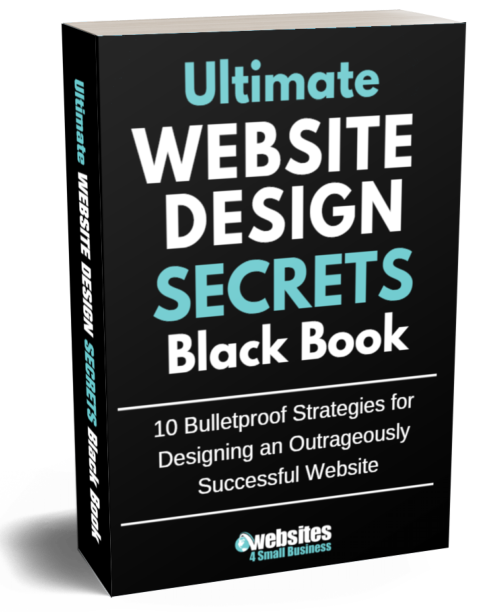
Ultimate Website Design Secrets Blackbook
Insider secrets and simple tweaks you can make
to your website today that will make a huge
impact on your bottom line …